
The EconomyPremium Plugin
The premium version of Economy++

Our Discord:
https://discord.gg/QCvWzB3N
The EconomyPremium software is a all in one Economy system for your MC server. It includes all the things you want for a economy server.
For all features, scroll down.
Warning:
Copy all the data files from Economy++ to the EconomyPremium map. EconomyPremium/Data
Extra features compared to Economy++ :
¤ TipXP
¤ Sell & Buy items in the chat - players can buy your items
¤ Kit System - Prices are configurable
¤ Full automatic salary system
¤ A complete job system
¤ Coin boosters
¤ Lootcrates
¤ Shops (GUI & Chat)
¤ ATM
¤ Signs
¤ Kit system
¤ Chunk claim system
¤ Guild System
¤ Trade NPC System
Economy:
¤ /economy - Prints the plugin help message
¤ /setworld <world> - Add the world to the list where the plugin works.
¤ /setbal <player> <amount> - Set the balance for a player.
¤ /addbal <player> <amount> - Add money to a player account.
¤ /removebal <player> <amount> - Remove money from a player account.
¤ /bal - Get your current balance.
¤ /bal <player> - Get the current balance from a player.
¤ /pay <player> <amount> - Pay money to a player.
¤ /payall <amount> - Pay money to all online players.
¤ /balreset <player> - Reset a players bank account.
¤ /resetallaccounts - Reset all players bank accounts.
¤ /baltop - Get the top 10 richest players of the server.
Jobs:
¤ /resetalljobs - Reset all the player jobs.
¤ /job - Prints the job help message.
¤ /job change - Change your job.
¤ /jobs - Open the GUI to choose a job.
¤ /salary - Prints the salary information
Lootcrate:
¤ /lootcrate <amount> - Buy lootcrates.
¤ /setlootcrate - Right click on a end portal frame to set it to a lootcrate box.
Shops:
¤ /shop - Open the shop GUI.
¤ /shop add <price> - Add your current item in hand to the shop GUI.
¤ /shop help - Prints the shop help message.
¤ /sellitem <price> <amount> - Sell your current item in hand to other players via chat.
¤ /buyitem <player> - Buy the current selling item from the specify player.
Kits:
¤ /ecokit - Buy a ingame kit. (/kit)
¤ /ecokits - Open the kits GUI (/kits)
XP:
¤ /tipxp <player> <level> - Tip XP levels to a player.
Homes:
¤ /sethome <home> - Set a new home.
¤ /delhome <home> - Delete a home.
¤ /home <home> - Teleport to one of your homes.
¤ /homes - Get a list of your current homes.
Gift:
¤ /gift <player> <amount> - Send a gift to a player wich item is in your current main hand. it cost $15
Guilds:
¤ /guild help - Show the guild help message.
¤ /guild create <name> - Create a guild.
¤ /guild delete - Delete your guild.
¤ /guild invite <player> - Invite a player to your guild .
¤ /guild kick <player> - Kick a player from your guild.
¤ /guild info <name> - Show guild info.
¤ /g <message> - Talk to eachother in the guild chat.
¤ /guild balance - See the balance of your guild bank.
¤ /guild deposit - Deposit money to the guild bank.
¤ /guild withdraw - Withdraw money from the guild bank (Only guild leaders)
Chunks:
¤ /chunk claim - Claim a chunk.
¤ /chunk unclaim - Unclaim a chunk.
¤ /chunk trust <player> - Add a player as member on your chunk.
¤ /chunk untrust <player> - Remove a player as member from your chunk.
¤ /chunk info - Get the owner and members.
Trader NPC:
¤ /tradenpc spawn <name> - Spawn a new NPC Trader
¤ /tradenpc remove <name> - Delete a NPC Trader
¤ /tradenpc list - Get a list of all traders
¤ /tradenpc addtrade <name> <result> <resultAmount> <ingredient> <ingredientAmount> - Add a trade to the NPC Trader GUI
¤ economy++.setbal - Acces to /setbal.
¤ economy++.addbal - Acces to /addbal.
¤ economy++.removebal - Acces to /removebal.
¤ economy++.getbaltarget - Acces to /bal <player>.
¤ economy++.resetbal - Acces to /balreset.
¤ economy++.signs - Acces to create Shop, Repair and ATM signs.
¤ economy++.resetbalall - Acces to /resetallaccounts.
¤ economy++.resetjobs - Acces to /resetalljobs.
¤ economy++.setworld - Acces to /setworld.
¤ economy++.deletejob - Acces to /job delete
¤ economy++.debug - Acces to /eco debug
¤ economy++.update - Acces to get the update message.
¤ economy++.adminpanel - Acces to /eco adminpanel.
¤ economy++.cratecreate - Acces to /setlootcrate.
¤ economy++.shop - Acces to /shop add
¤ economy++.home - Acces to all home commands.
¤ economy++.kit - Acces to /kit
¤ economy++.tradenpc- Acces to all the trader npc commands.
Trader NPC
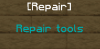
Repair Sign
The cost to to repair items is configurable in the Config.yml
Line 0: [repair]
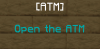
ATM Sign
Line 0: [atm]
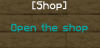
Shop Sign
Line 0: [shop]
¤ Config.yml - Settings and global data will be saved in this file
Spoiler: Config.yml
¤ AdminPanelData.yml - The admin panel password is saved in this file
Spoiler: AdminPanelData.yml
¤ PlayerData.yml - All data from the players are saved in this file
Spoiler: PlayerData.yml
¤ BoosterData.yml - All data from the player coinboosters are saved in this file
Spoiler: BoosterData.yml
¤ LootcrateData.yml - You can add items to this file wich players can earn while opening a lootcrate.
Spoiler: LootcrateData.yml
¤ HomeData.yml - All data from player homes
Spoiler: HomeData.yml
¤ ShopData.yml - All the items in the shop GUI are saved in this file Do not ever change it.
Spoiler: ShopData.yml
¤ TradeData.yml
The premium version of Economy++
Our Discord:
https://discord.gg/QCvWzB3N
The EconomyPremium software is a all in one Economy system for your MC server. It includes all the things you want for a economy server.
For all features, scroll down.
Warning:
Copy all the data files from Economy++ to the EconomyPremium map. EconomyPremium/Data
Extra features compared to Economy++ :
¤ TipXP
¤ Sell & Buy items in the chat - players can buy your items
¤ Kit System - Prices are configurable
¤ Full automatic salary system
¤ A complete job system
¤ Coin boosters
¤ Lootcrates
¤ Shops (GUI & Chat)
¤ ATM
¤ Signs
¤ Kit system
¤ Chunk claim system
¤ Guild System
¤ Trade NPC System
Economy:
¤ /economy - Prints the plugin help message
¤ /setworld <world> - Add the world to the list where the plugin works.
¤ /setbal <player> <amount> - Set the balance for a player.
¤ /addbal <player> <amount> - Add money to a player account.
¤ /removebal <player> <amount> - Remove money from a player account.
¤ /bal - Get your current balance.
¤ /bal <player> - Get the current balance from a player.
¤ /pay <player> <amount> - Pay money to a player.
¤ /payall <amount> - Pay money to all online players.
¤ /balreset <player> - Reset a players bank account.
¤ /resetallaccounts - Reset all players bank accounts.
¤ /baltop - Get the top 10 richest players of the server.
Jobs:
¤ /resetalljobs - Reset all the player jobs.
¤ /job - Prints the job help message.
¤ /job change - Change your job.
¤ /jobs - Open the GUI to choose a job.
¤ /salary - Prints the salary information
Lootcrate:
¤ /lootcrate <amount> - Buy lootcrates.
¤ /setlootcrate - Right click on a end portal frame to set it to a lootcrate box.
Shops:
¤ /shop - Open the shop GUI.
¤ /shop add <price> - Add your current item in hand to the shop GUI.
¤ /shop help - Prints the shop help message.
¤ /sellitem <price> <amount> - Sell your current item in hand to other players via chat.
¤ /buyitem <player> - Buy the current selling item from the specify player.
Kits:
¤ /ecokit - Buy a ingame kit. (/kit)
¤ /ecokits - Open the kits GUI (/kits)
XP:
¤ /tipxp <player> <level> - Tip XP levels to a player.
Homes:
¤ /sethome <home> - Set a new home.
¤ /delhome <home> - Delete a home.
¤ /home <home> - Teleport to one of your homes.
¤ /homes - Get a list of your current homes.
Gift:
¤ /gift <player> <amount> - Send a gift to a player wich item is in your current main hand. it cost $15
Guilds:
¤ /guild help - Show the guild help message.
¤ /guild create <name> - Create a guild.
¤ /guild delete - Delete your guild.
¤ /guild invite <player> - Invite a player to your guild .
¤ /guild kick <player> - Kick a player from your guild.
¤ /guild info <name> - Show guild info.
¤ /g <message> - Talk to eachother in the guild chat.
¤ /guild balance - See the balance of your guild bank.
¤ /guild deposit - Deposit money to the guild bank.
¤ /guild withdraw - Withdraw money from the guild bank (Only guild leaders)
Chunks:
¤ /chunk claim - Claim a chunk.
¤ /chunk unclaim - Unclaim a chunk.
¤ /chunk trust <player> - Add a player as member on your chunk.
¤ /chunk untrust <player> - Remove a player as member from your chunk.
¤ /chunk info - Get the owner and members.
Trader NPC:
¤ /tradenpc spawn <name> - Spawn a new NPC Trader
¤ /tradenpc remove <name> - Delete a NPC Trader
¤ /tradenpc list - Get a list of all traders
¤ /tradenpc addtrade <name> <result> <resultAmount> <ingredient> <ingredientAmount> - Add a trade to the NPC Trader GUI
¤ economy++.setbal - Acces to /setbal.
¤ economy++.addbal - Acces to /addbal.
¤ economy++.removebal - Acces to /removebal.
¤ economy++.getbaltarget - Acces to /bal <player>.
¤ economy++.resetbal - Acces to /balreset.
¤ economy++.signs - Acces to create Shop, Repair and ATM signs.
¤ economy++.resetbalall - Acces to /resetallaccounts.
¤ economy++.resetjobs - Acces to /resetalljobs.
¤ economy++.setworld - Acces to /setworld.
¤ economy++.deletejob - Acces to /job delete
¤ economy++.debug - Acces to /eco debug
¤ economy++.update - Acces to get the update message.
¤ economy++.adminpanel - Acces to /eco adminpanel.
¤ economy++.cratecreate - Acces to /setlootcrate.
¤ economy++.shop - Acces to /shop add
¤ economy++.home - Acces to all home commands.
¤ economy++.kit - Acces to /kit
¤ economy++.tradenpc- Acces to all the trader npc commands.
Trader NPC
Repair Sign
The cost to to repair items is configurable in the Config.yml
Line 0: [repair]
ATM Sign
Line 0: [atm]
Shop Sign
Line 0: [shop]
¤ Config.yml - Settings and global data will be saved in this file
Spoiler: Config.yml
¤ AdminPanelData.yml - The admin panel password is saved in this file
Spoiler: AdminPanelData.yml
¤ PlayerData.yml - All data from the players are saved in this file
Spoiler: PlayerData.yml
¤ BoosterData.yml - All data from the player coinboosters are saved in this file
Spoiler: BoosterData.yml
¤ LootcrateData.yml - You can add items to this file wich players can earn while opening a lootcrate.
Spoiler: LootcrateData.yml
¤ HomeData.yml - All data from player homes
Spoiler: HomeData.yml
¤ ShopData.yml - All the items in the shop GUI are saved in this file Do not ever change it.
Spoiler: ShopData.yml
¤ TradeData.yml


![[VS] Variety Guns [ 25$ ]](/data/resource_icons/9/9040.jpg?1718366126)