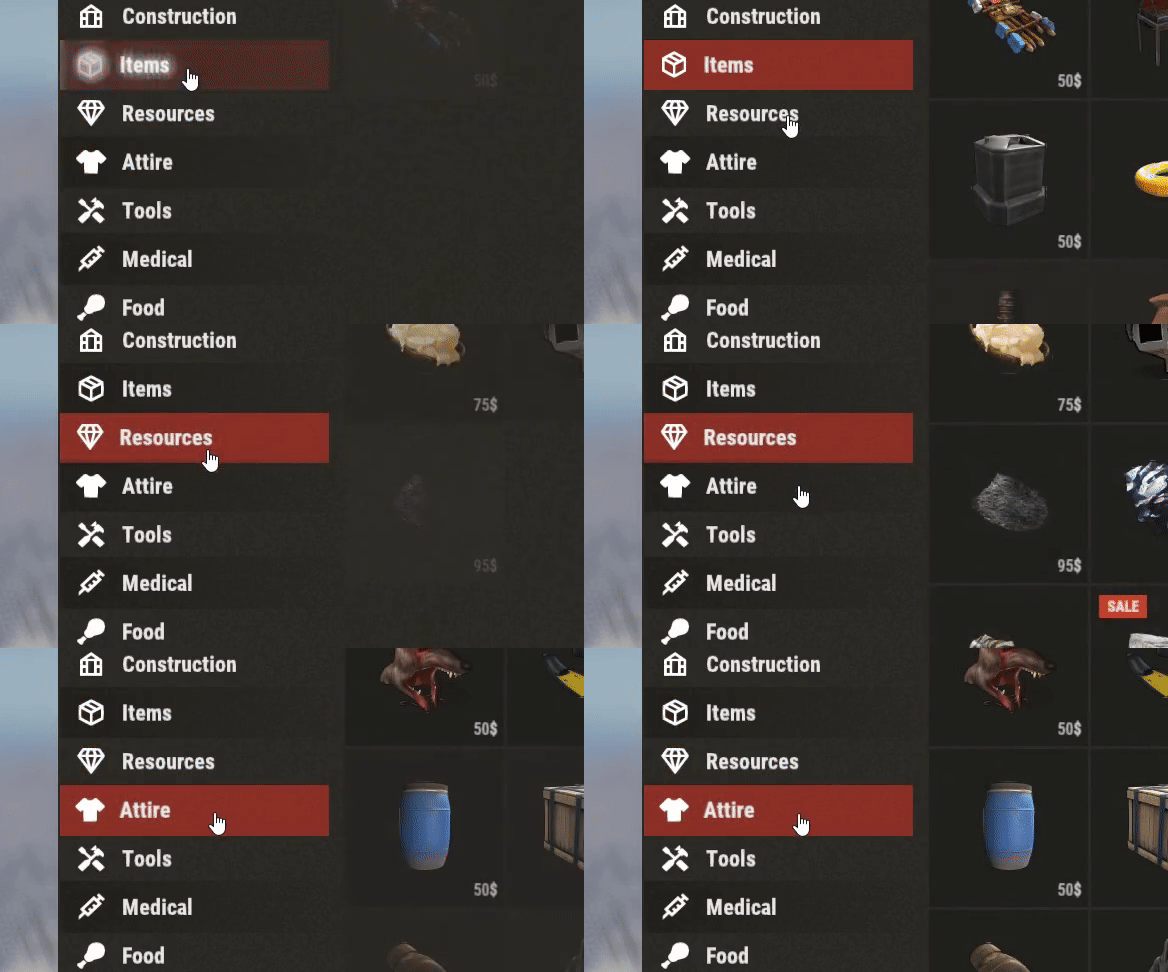
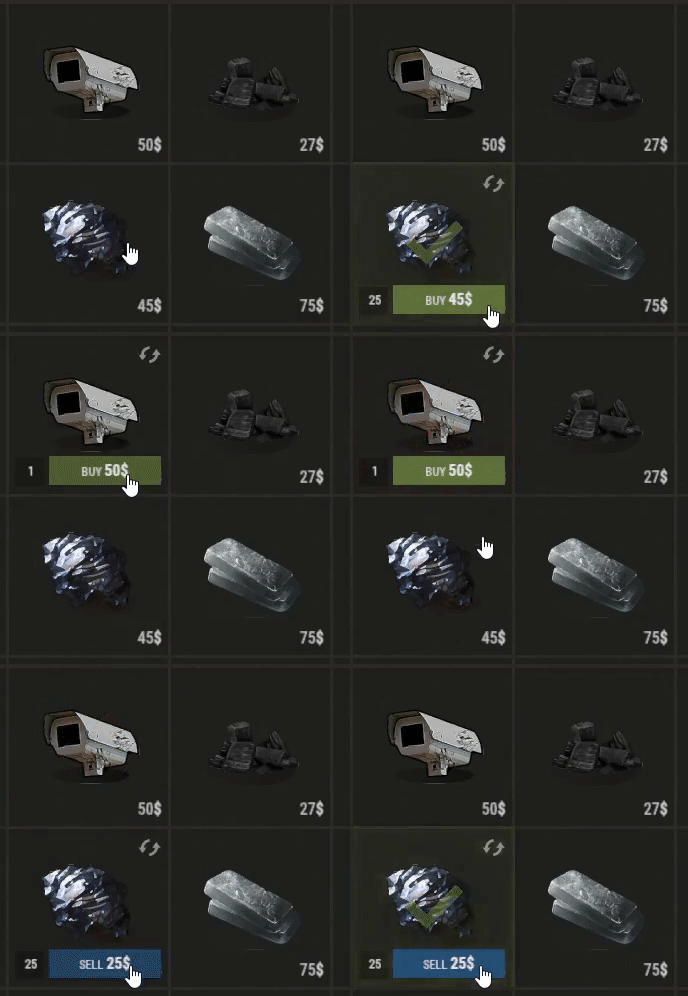
Well rounded shop, with various features.
It's standalone plugin which is compatible with WelcomePanel, HumanNpc , but those plugins are not required to use this Shop UI.
This plugin also supports selling commands, wipe block, no escape, sales, permission access...
PLEASE READ DESCRIPTION CAREFULY AND MAKE SURE PLUGIN HAS FEATURES YOU WANT BEFORE
YOU PURCHASE. IF YOU HAVE ANY QUESTIONS FEEL FREE TO POST THEM INTO DISCUSSION SECTION.

YOU DON'T HAVE TO REDO YOUR CONFIGS FROM SCRATCH, I CAN CONVERT YOUR OLD
CONFIG FROM OTHER SHOP PLUGINS INTO MINE. FEEL FREE TO CONTACT ME FOR MORE INFO.
ITEMS
oxide/data/Shop/Item.json
This file is basically list all of items (not commands) which you can use in categories or npc shop.
It's used only to setup item properties.
DISPLAY NAME: Set custom one or just leave "default".
SKIN: Any skin id from Rust Workshop can be used.
IMAGE: Put item shortname ending with .png to get default image from RustLabs or just use own link.
DEFAULT AMOUNT: This will be default amount displayed for item. Players also can put their own value.
PRICE: Decimal numbers are not allowed. If "DefaultAmount" is other than 1, unit price will be calculated
based on default amount.
CURRENCY: three options shortname/eco/rp
If you need create multiple variations of same item but with different image/displayname/skinID, you can do that by
using some unique tag/number between curly brackets after item shortname. Example: "rifle.ak{1337}".
Unique item shortname then can be used in category item list. Does not matter what letters/numbers you put between brackets.
This is handy for setting up different item prices for NPC vendors or selling some custom items.
SELLING COMMANDS:
oxide/data/Shop/Commands.json
Similar to Items data file just with few different properties since you will be selling commands
To grab buyers name or steam id use these tags -> {steamid} {playername}
DISPLAY NAME: Name is only displayed in notification when command is purchased.
IMAGE: Image displayed in shop ui.
MESSAGE: Chat message which will be sent to player after purchasing, color and size tags can be used.
COMMAND: Place for RCON command, use tags mentioned above to get player's id.
PRICE: Decimal numbers are not allowed.
CURRENCY: three options shortname/eco/rp.
"mycmdname" is just name used for listing command under certain category or npc shop
by typing one of these into list command/mycmdname or cmd/mycmdname.
Look at Categories section for direct example.
CATEGORIES:
oxide/data/Shop/Categories.json
This is place where all items/commands are split into specific categories.
If you don't want to use categories, leave just one and delete rest of them.
IMAGE: Icon for category, resolution does not matter much just make sure it's square.
PERMISSION: Permission required in order to make purchases in certain category, leave null if you don't with to use.
SALE: Price discounts for whole category.
ITEMS: List of shortnames, unique tags applies here.
NPC SHOPS:
oxide/data/Shop/HumanNPC_Shops.json
REQUIRED:
Human NPC from Umod
Once you set up your NPC all you have to is paste npc id into data file.
Item list setup is same as for categories.
WIPE BLOCK:
oxide/data/Shop/ItemsWipeBlock.json
Option to disable purchasing of certain items after wipe for specific time.
Plugin will auto detect wipes and write time stamps automatically, in case you want get your own link here.
Lock duration for items is set in seconds.
CONFIG EXPLAINED:
PERMISSION SALES
This types of sales are based on permission, you can create your own. New permissions getting
generated after reloading plugin. Players with these permission will receive global sale on all items.
ITEM SALES
Every item with set shortname will be discounted. Unique shortname tags also applies here, they are
explained in Items section.
RAID / COMBAT BLOCK (NoEscape umod)
Shop usage can be blocked when players are fighting or raiding.
ADDON SETTINGS
This plugin also works with my WelcomePanel. Shop will auto adjust ui based on your template number.
If you using your own custom template, you might need to do adjust some anchors by yourself.
ITEM LIST DISPLAYING
Few extra ui settings for displaying items. If option to show items gradually is true, they will be displayed
accordingly by Tick interval. You can also set fade in value and bunch of colors.
It's standalone plugin which is compatible with WelcomePanel, HumanNpc , but those plugins are not required to use this Shop UI.
This plugin also supports selling commands, wipe block, no escape, sales, permission access...
| 
|
|---|
| 
|
|---|
PLEASE READ DESCRIPTION CAREFULY AND MAKE SURE PLUGIN HAS FEATURES YOU WANT BEFORE
YOU PURCHASE. IF YOU HAVE ANY QUESTIONS FEEL FREE TO POST THEM INTO DISCUSSION SECTION.

- Multi-currency support (Item/Economics/ServerRewards)
- Welcome Panel compatibility
- Permission based discounts
- Option to block specific items on wipe
- HumanNpc support
- Raid/Combat block support
- UI customization

YOU DON'T HAVE TO REDO YOUR CONFIGS FROM SCRATCH, I CAN CONVERT YOUR OLD
CONFIG FROM OTHER SHOP PLUGINS INTO MINE. FEEL FREE TO CONTACT ME FOR MORE INFO.
ITEMS
oxide/data/Shop/Item.json
This file is basically list all of items (not commands) which you can use in categories or npc shop.
It's used only to setup item properties.
DISPLAY NAME: Set custom one or just leave "default".
SKIN: Any skin id from Rust Workshop can be used.
IMAGE: Put item shortname ending with .png to get default image from RustLabs or just use own link.
DEFAULT AMOUNT: This will be default amount displayed for item. Players also can put their own value.
PRICE: Decimal numbers are not allowed. If "DefaultAmount" is other than 1, unit price will be calculated
based on default amount.
CURRENCY: three options shortname/eco/rp
If you need create multiple variations of same item but with different image/displayname/skinID, you can do that by
using some unique tag/number between curly brackets after item shortname. Example: "rifle.ak{1337}".
Unique item shortname then can be used in category item list. Does not matter what letters/numbers you put between brackets.
This is handy for setting up different item prices for NPC vendors or selling some custom items.
SELLING COMMANDS:
oxide/data/Shop/Commands.json
Similar to Items data file just with few different properties since you will be selling commands
To grab buyers name or steam id use these tags -> {steamid} {playername}
DISPLAY NAME: Name is only displayed in notification when command is purchased.
IMAGE: Image displayed in shop ui.
MESSAGE: Chat message which will be sent to player after purchasing, color and size tags can be used.
COMMAND: Place for RCON command, use tags mentioned above to get player's id.
PRICE: Decimal numbers are not allowed.
CURRENCY: three options shortname/eco/rp.
"mycmdname" is just name used for listing command under certain category or npc shop
by typing one of these into list command/mycmdname or cmd/mycmdname.
Look at Categories section for direct example.
CATEGORIES:
oxide/data/Shop/Categories.json
This is place where all items/commands are split into specific categories.
If you don't want to use categories, leave just one and delete rest of them.
IMAGE: Icon for category, resolution does not matter much just make sure it's square.
PERMISSION: Permission required in order to make purchases in certain category, leave null if you don't with to use.
SALE: Price discounts for whole category.
ITEMS: List of shortnames, unique tags applies here.
NPC SHOPS:
oxide/data/Shop/HumanNPC_Shops.json
REQUIRED:
Human NPC from Umod
Once you set up your NPC all you have to is paste npc id into data file.
Item list setup is same as for categories.
WIPE BLOCK:
oxide/data/Shop/ItemsWipeBlock.json
Option to disable purchasing of certain items after wipe for specific time.
Plugin will auto detect wipes and write time stamps automatically, in case you want get your own link here.
Lock duration for items is set in seconds.
CONFIG EXPLAINED:
PERMISSION SALES
This types of sales are based on permission, you can create your own. New permissions getting
generated after reloading plugin. Players with these permission will receive global sale on all items.
ITEM SALES
Every item with set shortname will be discounted. Unique shortname tags also applies here, they are
explained in Items section.
RAID / COMBAT BLOCK (NoEscape umod)
Shop usage can be blocked when players are fighting or raiding.
ADDON SETTINGS
This plugin also works with my WelcomePanel. Shop will auto adjust ui based on your template number.
If you using your own custom template, you might need to do adjust some anchors by yourself.
ITEM LIST DISPLAYING
Few extra ui settings for displaying items. If option to show items gradually is true, they will be displayed
accordingly by Tick interval. You can also set fade in value and bunch of colors.


