

UltimateLocker - Lock Everything, Auto Lock & Auto Closing
UltimateLocker - Lock Everything, Auto Lock & Auto Closing UltimateLocker - Lock Everything, Auto Lock & Auto Closing, allows you to place Code Locks/Key Lock on Vehicles, Furnaces, Weapon Racks, Turrets, Mining Quarry, Pump Jack, Motorbike, Motorbike With Sidecar, Pedal Bike, Pedal Trike...
 codefling.com
About UltimateLocker - Lock Everything, Auto Lock & Auto Closing
UltimateLocker - Lock Everything, Auto Lock & Auto Closing
UltimateLocker - Lock Everything, Auto Lock & Auto Closing, allows you to place Code Locks/Key Lock on Vehicles, Furnaces, Weapon Racks, Turrets, Mining Quarry, Pump Jack, Motorbike, Motorbike With Sidecar, Pedal Bike, Pedal Trike, Deployable Items, Naval Deep Sea, Drawing / Signs and much more.Plus you can decide whether to automatically position the code locks, with many configurations and share locks with your clan/team members.
You can also enable automatic closing by positioning door closers automatically or manually, change the closing delay time and decide on which entities to enable it.
Place Code Lock wherever you want, Auto Lock and Auto Closing (Door Closer) with a single plugin, 3 plugin in 1.
You can decide which entities to enable Code Lock on or Door Closer.
Block any entity you want, including electrical, industrial, crafting, research, farming, etc.
It has commands for administrators to lock, unlock and remove Code Locks/Key Lock.
Include support for new CodeLock: Flight Control Codelock and option to automatically use the Flight Control Codelock skin.
IMPORTANT: Added the ability to also place Key Locks, in addition to Code Locks.
Place Code Lock/Key Lock wherever you want with a single plugin:
- Vehicle Locks
- Motorbike, Motorbike With Sidecar, Pedal Bike, Pedal Trike
- Naval Deep Sea
- Drawing / Signs
- Rust item lock
- Windows Lock
- Automatic lock closing when dismount of the vehicle
- Code Lock support for Medieval entities: Mounted Ballista, Battering Ram, Catapult, Siege Tower, Ballista
- Medieval entities block usage: opening/closing doors, reloading/firing ammo, mounting, driving, pushing, pulling, etc...
- Furnaces, Refineries, and more
- Weapon Rack Lock
- Block any entity you want, including electrical, industrial, crafting, research, farming, etc.
- Farming Lock
- Electricity Lock / Electrical Lock
- Industrial Lock
- Construction Lock
- Mining Quarry, Pump Jack
- Items Lock
- Trap Lock
- Turrets Lock
- Misc Lock
- Fun Lock
- Deployable Lock
- And so on...
Some examples of how the plugin works when there is a Code Lock/Key Lock to which you do not have access:
- Usage block/loot furnaces, refineries, electric furnaces, water dispensers, industrial conveyor, industrial crafter, car lift, elevator, small generator, metal shop front, dropbox, mail box, vending machine, etc...
- Usage block: workbench, research table, repair table, computer station, mixing table, etc...
- Device Identifier: If the Auto Turrets, CCTV Camera, PTZ CCTV Camera, etc..., are locked with Code Lock/Key Lock, you cannot access them remotely if you do not have access to Code lock/Key Lock, even if you know the identification number.
- Block use and loot of vehicles, including horses
- Block use and loot of vehicles, including Motorbike, Motorbike With Sidecar, Pedal Bike, Pedal Trike.
- Automatic lock closing when dismount of the vehicle
- Code Lock support for Medieval entities: Mounted Ballista, Battering Ram, Catapult, Siege Tower, Ballista
- Medieval entities block usage: opening/closing doors, reloading/firing ammo, mounting, driving, pushing, pulling, etc...
- Block use and loot of: Mining Quarry, Pump Jack.
- Auto Turret authorization lock, rotation, attack mode, remote control, lock to change identification ID.
- Locking loot and usafe of SAM Site.
- Lock to change camera identification ID and remote control.
- Block personal Quarry Mining usage and loot
- FARM: fertilizer container block, sowing block, harvesting/cutting plants and clone, or harvesting dead plants, composter lock, Beehive lock, Chicken Coop lock, Cooking Workbench lock, Planter Box lock, etc...
- Weapon rack: weapons storage and collection block, weapon reloading, weapon exchange.
- Blocking the insertion and removal of electrical cables and pipes from the various components.
- Blocking the use of electrical components: switching on/off switches, switches, buttons, changing timer duration and much more...
- Blocking use and frequency change of transceiver components, RF Broadcaster, RF Receiver.
- Blocking the use of some entertainment objects such as the piano, drums, boom box, arcade games, etc...
- Block fun objects such as Strobe Light, Laser Light, Sound Light, Neon Sign, etc...
- And much more, with new items that will be added in future releases or at your suggestion via a request for support or comment
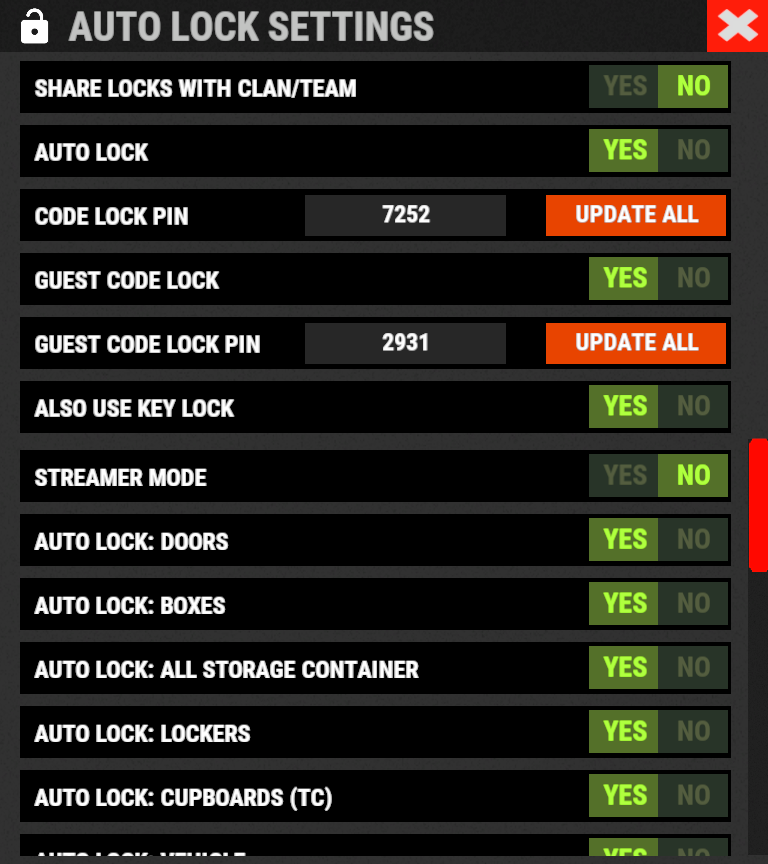
The plugin integrates an automatic positioning system for Code Lock or Key Lock.
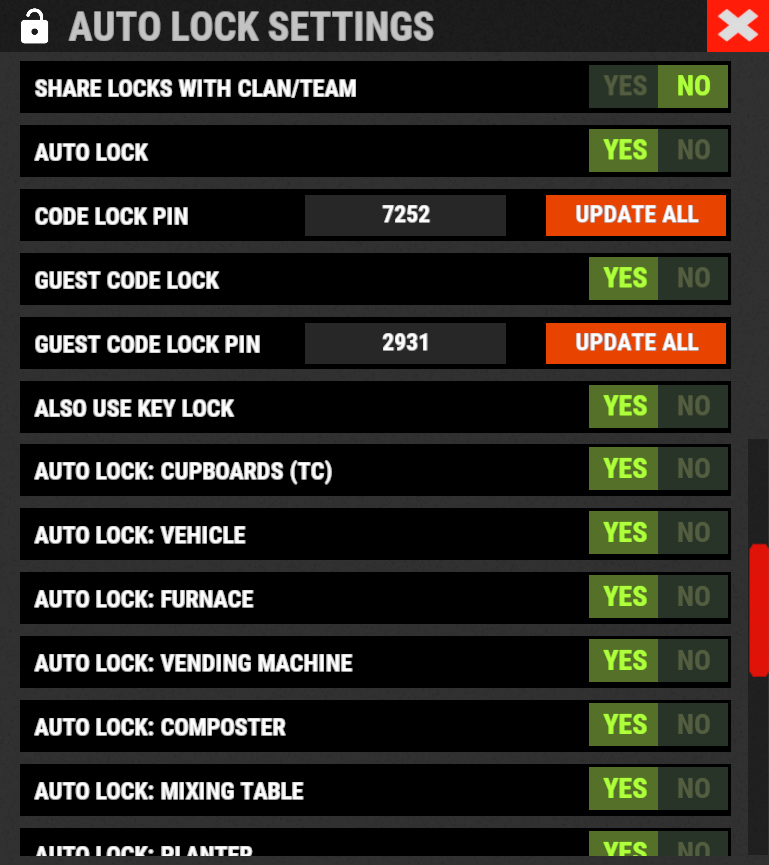
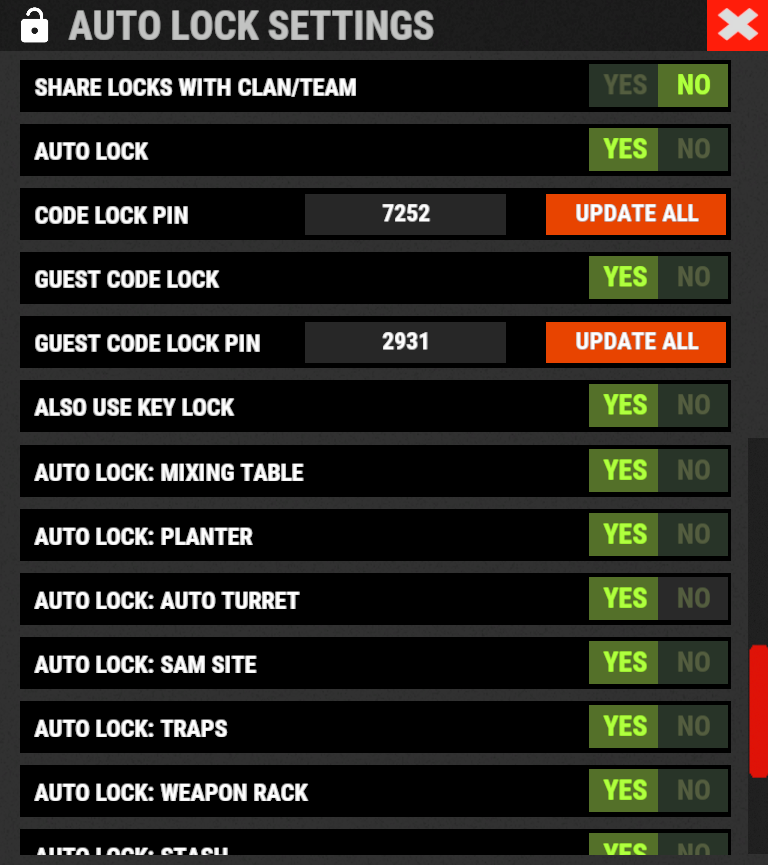
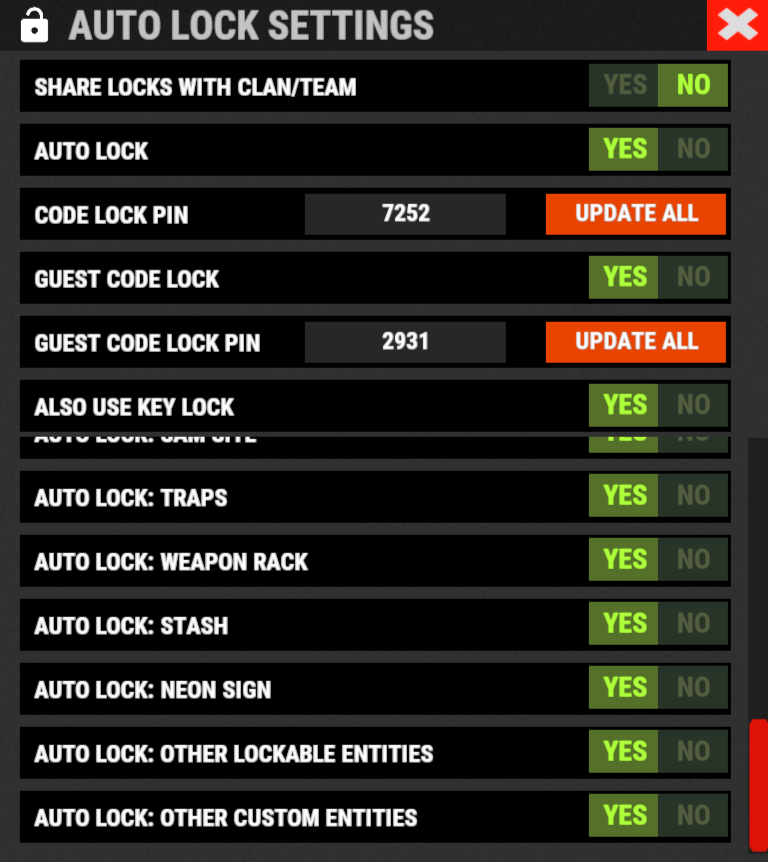
Using the /autolock or /codelock command the player can manage all the settings:
- Sharing locks with clan/team members.
- Create a code lock pin and/or update all your codelock pins with 1 click.
- Create a Guest pin for your Code Lock and/or update all Guest pins of your code locks with 1 click.
- Enable the ability to use Key Locks, if you do not have Code Locks in your inventory.
- Streamer mode: to hide the display of the Code Lock pin on the screen.
- In addition, there will be many other options that can be enabled/disabled. These options will be available based on how the plugin has been configured.
For example: has the ability to place the code lock on the furnaces been enabled? Then there will be the option to enable and/or disable the automatic positioning of the locks on the furnaces. And so on for all the other configurations. - And many other new features and features that will arrive with the next plugin updates.
----------
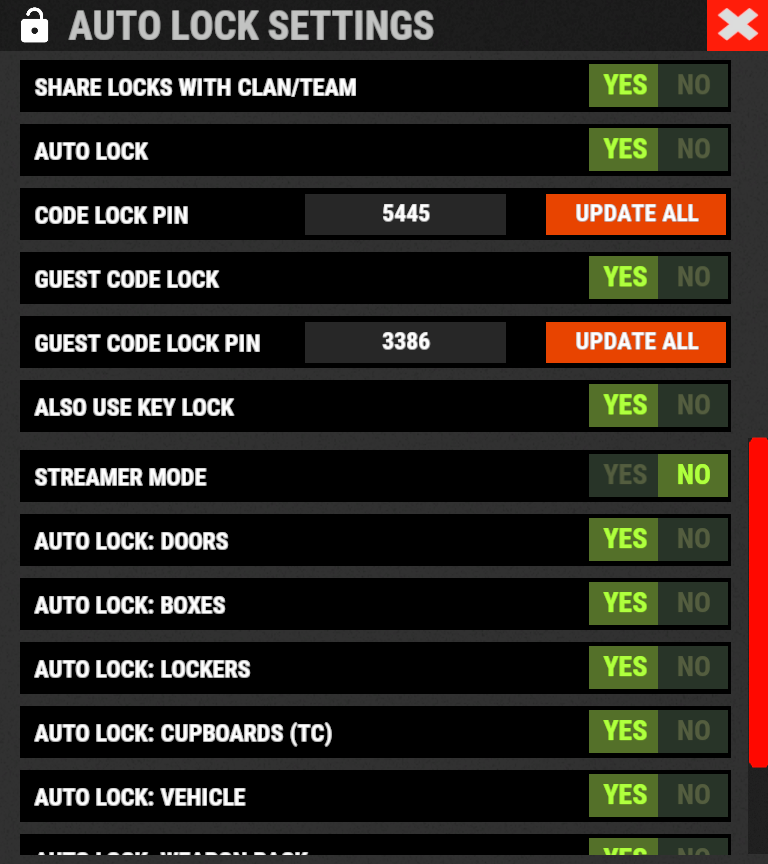
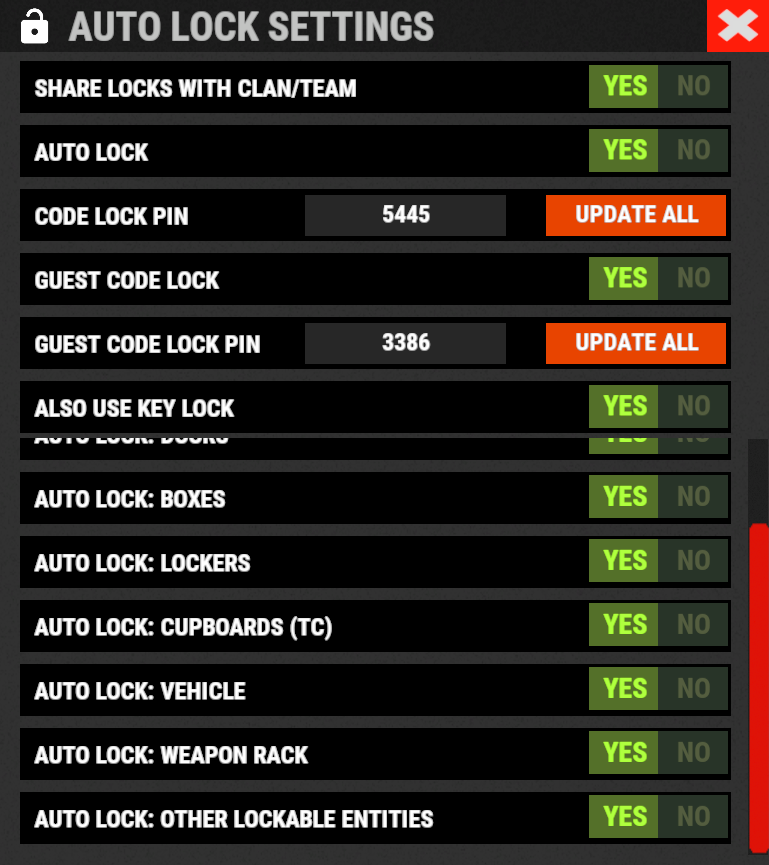
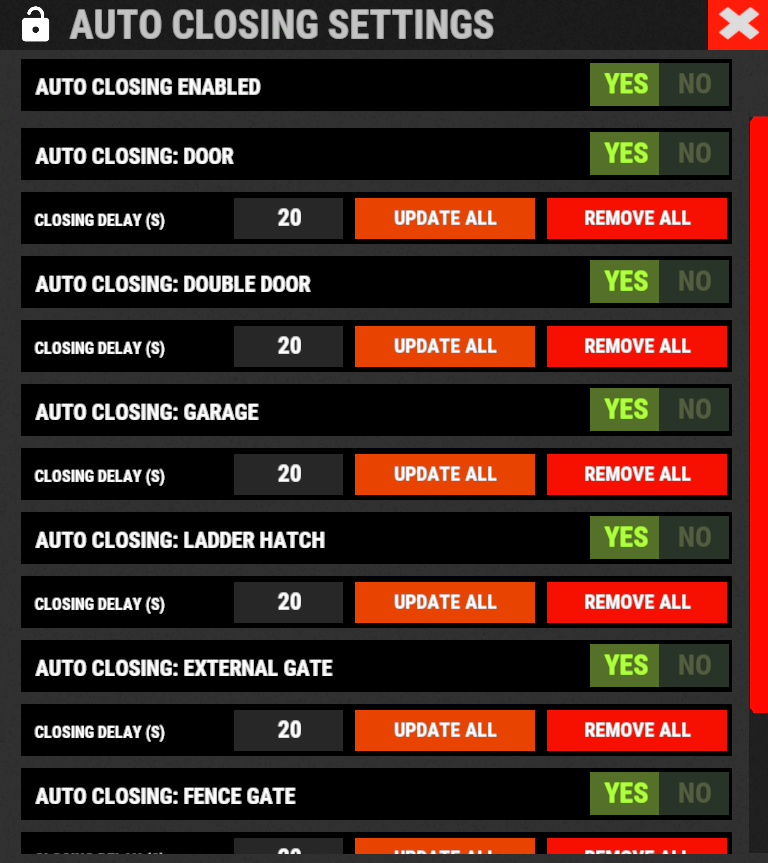
AUTO CLOSING (DOOR CLOSER):
The plugin integrates a system for automatic closing, via Door Closer, of various entities.
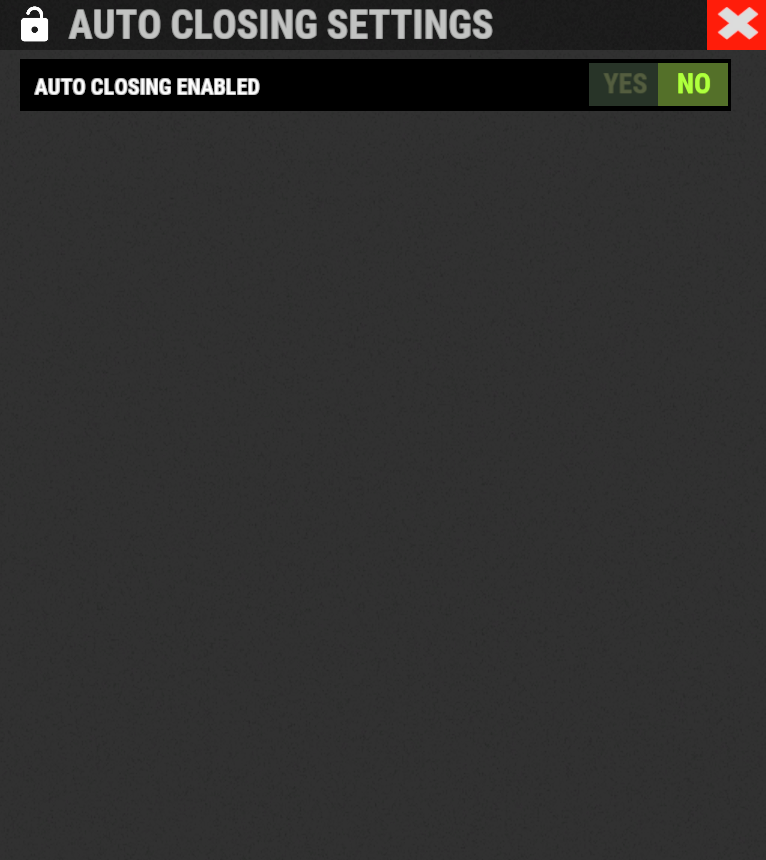
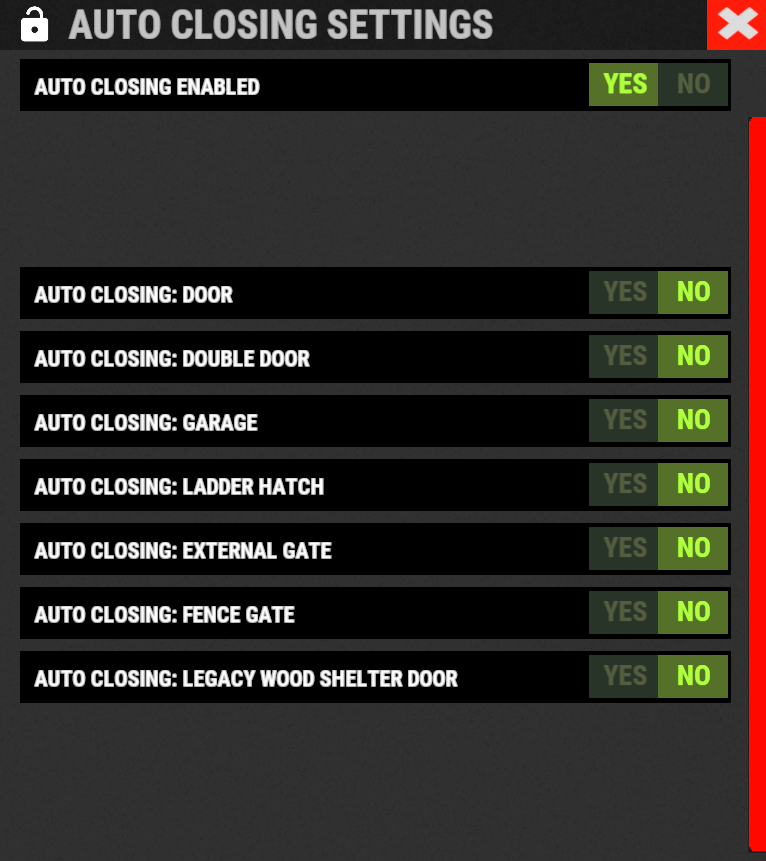
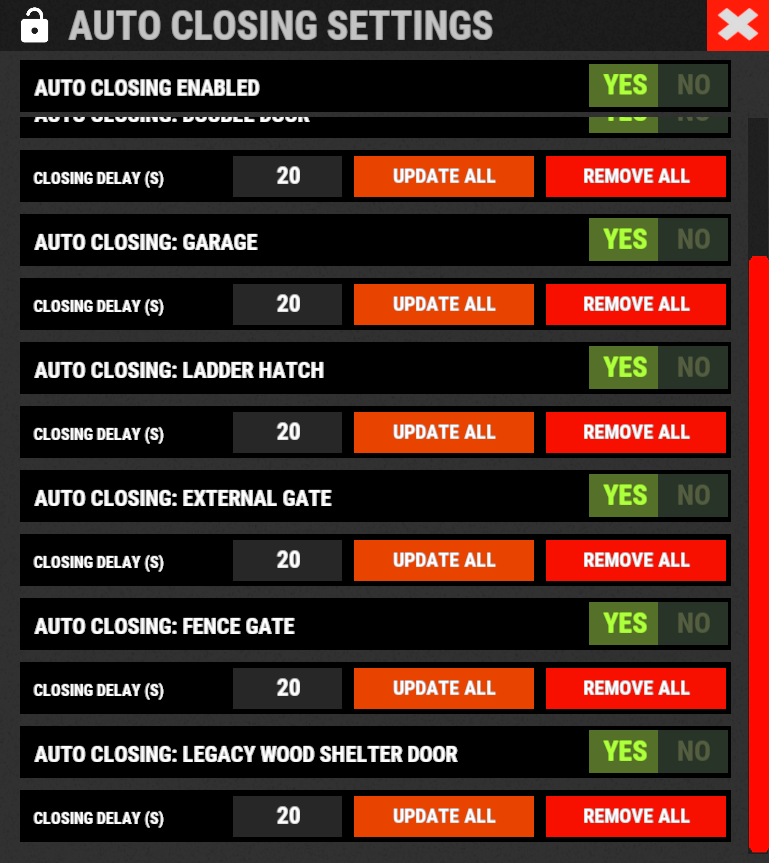
The player can change the settings through a simple and intuitive interface and apply these settings automatically or manually.
Using the /autolock or /codelock command and by pressing the button "Auto Closing Settings" the player can manage all the settings:

CODE LOCK AUTO SKIN:
The plugin allows you to automatically change the code lock skin, automatically switching the skin to the Flight Control Codelock skin.
To use this feature, the player must own the DLC.
DLC ownership check can be bypassed via configuration or permission (⚠ Only allowed on creative/test servers, otherwise you violate Facepunch’s TOS! ⚠)
CONFIGURATION
"Disable ownership checking on DLC/Skins. (⚠ Only allowed on creative/test servers, otherwise you violate Facepunch's TOS! ⚠) Default false": false
PERMISSION
- ultimatelocker.bypass.dlc_skin_required - Permission to bypass DLC or Skin ownership checks. With this permission, you can use DLC or Skins you don’t own.

PERMISSIONS:
- ultimatelocker.use - Allows you to use the plugin to place Code Locks/Key Locks.
- ultimatelocker.admin - Allows you to execute some commands reserved for administrators.
- ultimatelocker.bypass.lock_deploy_vehicle_check- Allows you to bypass these controls when deploying the lock on vehicles:
- Requires Building Privilege to place Code Locks
- Requires Building Privilege to place Code Locks in unowned vehicles
- Allow deployment of Code Lock in unowned vehicles
- ultimatelocker.bypass.force - Allows you to bypass Code Locks/Key Locks. (FOR ADMIN USE!!!)
- ultimatelocker.bypass.dlc_skin_required - Permission to bypass DLC or Skin ownership checks. With this permission, you can use DLC or Skins you don’t own.
- ultimatelocker.autolock.enabled - This role is required to be able to use the automatic positioning system of Code Lock or Key Lock.
- ultimatelocker.autolock.nolockrequired - With this role you do not need to have the Code Lock in your inventory, the Code Lock will be placed even if you do not have one.
- ultimatelocker.autoclosing.enabled - This role is required to be able to use the automatic closing system, Door Closer.
- ultimatelocker.autoclosing.nodoorcloserrequired - With this role you do not need to have the Door Closer in your inventory, the Door Closer will be placed even if you do not have one.
Commands can be typed in chat (by putting the / character in front of the command), or from console.
- <span><strong><span>/autolock</span></strong> <strong><span>or </span></strong><strong><span>/codelock</span></strong></span> -- Open Auto Lock/Auto Closing settings UI.
- /locker -- Command to add lock manually.
- /closer -- Command to add door closer manually.
- /uncloser -- Command to remove door closer manually.
- <span><strong><span>/ul code <code></span></strong></span> -- Change the Code Lock code of the entity you are looking at, if you own the entity or if it belongs to a clan/team member.
- <span><strong><span>/ul codeall <code></span></strong></span> -- Change the Code Lock code on all entities owned by the player.
- <span><strong><span>/ul ctime <time></span></strong></span> -- Set the closing delay time (seconds) for the Door Closer you are looking at.
----------
Commands can be typed in chat (by putting the / character in front of the command), or from console.
To use these commands you must have the role: ultimatelocker.admin
- <span><strong><span>/ul unlock</span></strong></span> -- Unlock the Code Lock/Key Lock of the entity you are watching.
- <span><strong><span>/ul unlockall <steamID></span></strong></span> -- Unlock all player Code Locks/Key Locks.
- <span><strong><span>/ul lock</span></strong></span> -- Lock the Code Lock/Key Lock of the entity you are watching.
- <span><strong><span>/ul lockall <steamID> </span></strong></span>-- Lock all player Code Locks/Key Locks.
- <span><strong><span>/ul remove</span></strong></span> -- Removes the Code Lock/Key Lock of the entity you are watching.
- <span><strong><span>/ul removeall <steamID> </span></strong></span>-- Removes all player Code Locks/Key Locks.
- <span><strong><span>/ul code <code></span></strong></span> -- Change the Code Lock code of the entity you are looking at. Instead of <code> you must insert the new code. Must consist of 4 numbers.
- <span><strong><span>/ul codeall <code> <steamID></span></strong></span> -- Change the Code Lock code on all entities owned by the player. You must pass the steamID of the player whose code you want to change instead of the <steamID>. Instead of <code> you must insert the new code. Must consist of 4 numbers.
- <span><strong><span>/ul show</span></strong></span> -- Shows the Code Lock code of the entity you are looking at.
-------------------- - NB: To use these commands you must set the configuration AllowAdminToBypassCodeLock to be set to true or have the role ultimatelocker.bypass.force.
--------------------
CLAN/TEAM
If the player is part of a clan/team, he can block, unlock or remove Code Locks/Key Locks placed by other teammates, if enabled in the configurations.
CONFIGURATION
The settings and options can be configured in the UltimateLocker under the config directory.
The use of an editor and validator is recommended to avoid formatting issues and syntax errors.


