![[+WEB ADMIN PANEL] Ban System for BungeeCord [1.8.x - 1.21.x]](/data/resource_icons/12/12804.jpg?1779463299)
Official page:
[+WEB ADMIN PANEL] Ban System für BungeeCord [1.8.x - 1.21.x]
Mit diesem Ban System Plugin hast du Zugriff auf eine Vielzahl an Befehlen und ein Admin-Webinterface, um unerwünschte Spieler von deinem Server zu bannen. Jede einzelne Nachricht ist konfigurierbar...
 chunkfactory.com
With this Ban System Plugin, you have access to a variety of commands and an admin web interface to ban unwanted players from your server.
Every single message is configurable.
_______________________________________________________________________
Web Admin Panel:
There is also a website that helps you manage the bans.
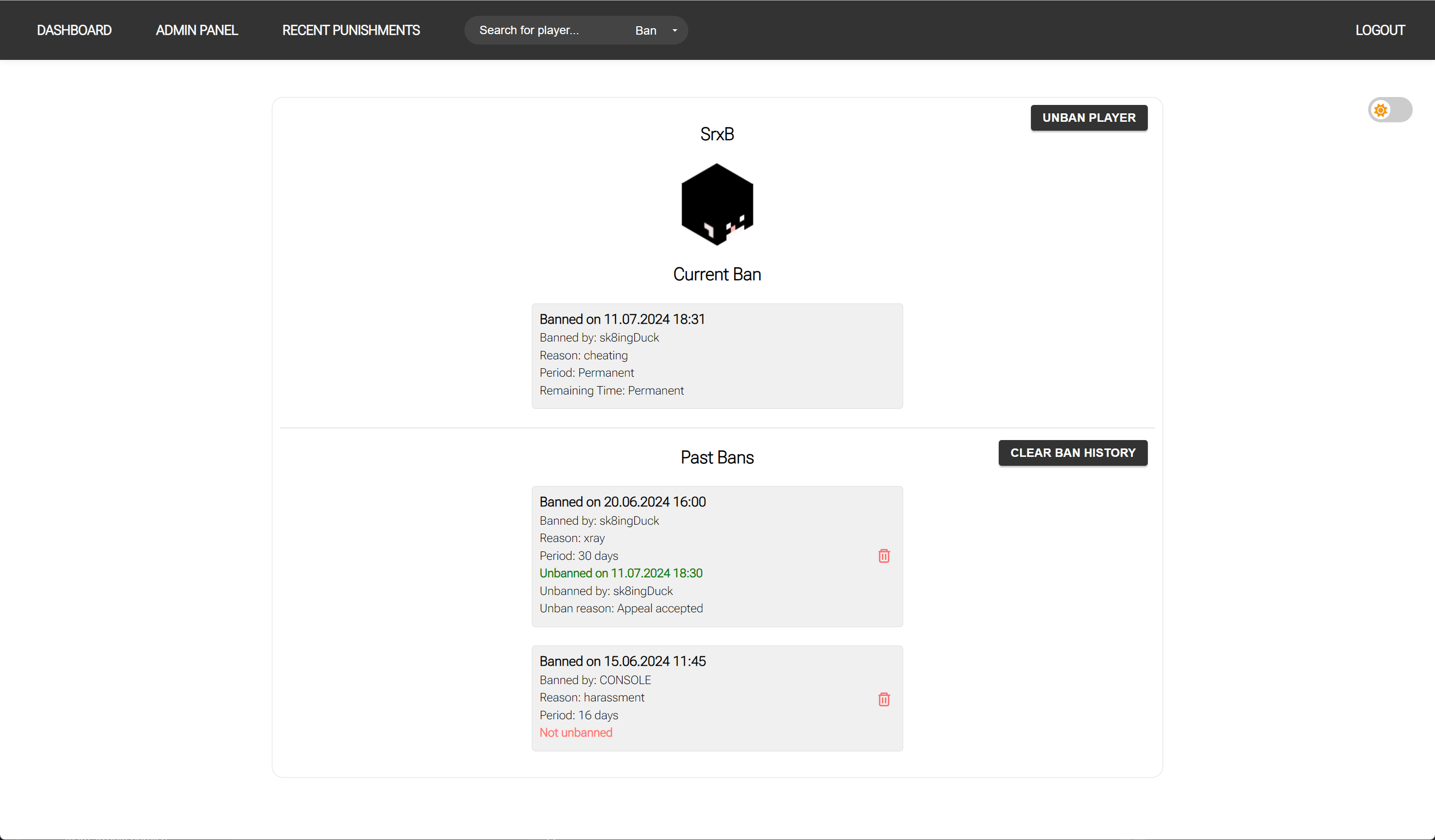
You can ban, unban players, view or edit their ban history, and more.
Additionally, there is a dashboard where you can view statistics about your bans, such as the most common ban reasons.
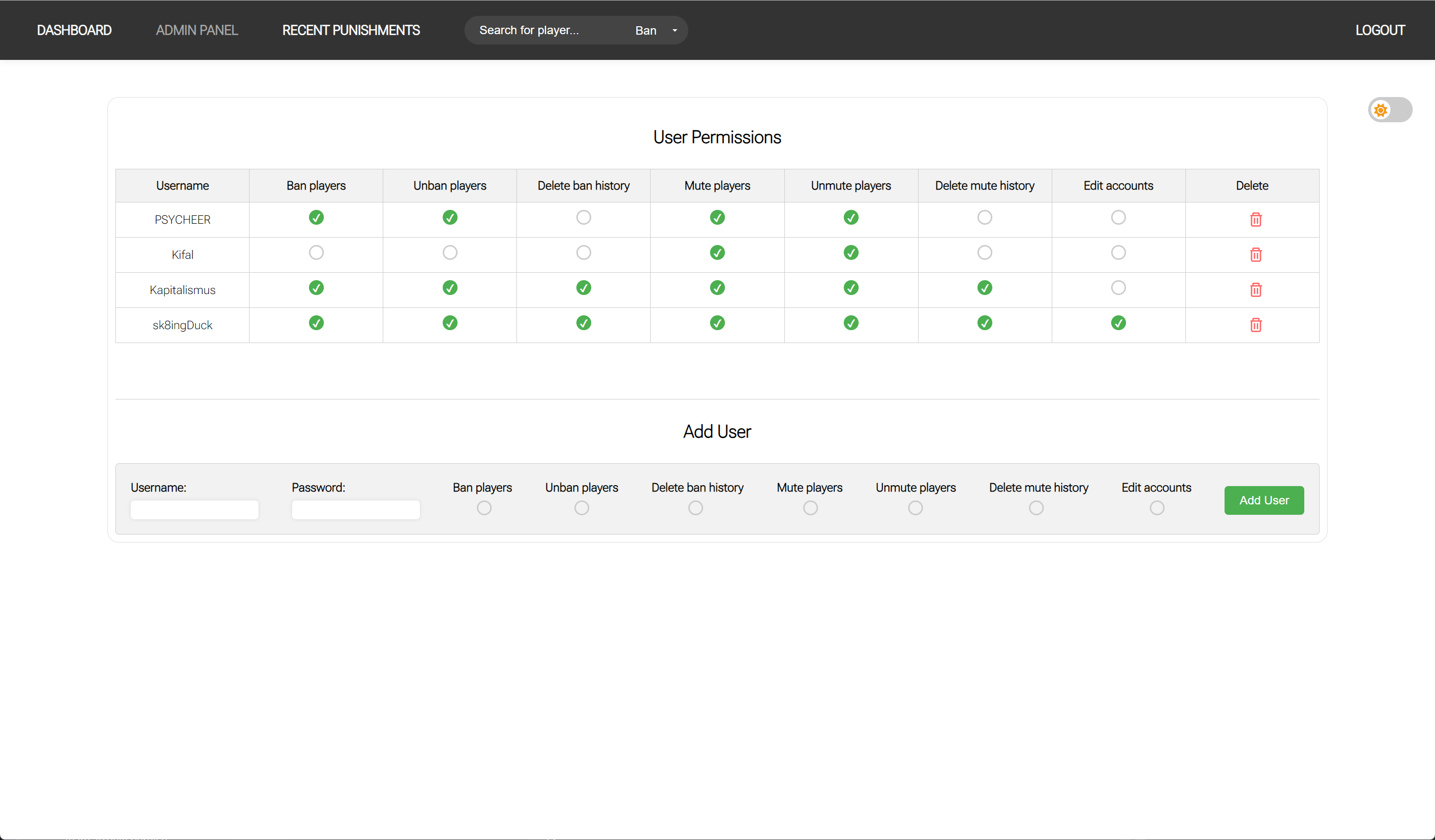
The web interface also features a permissions system.
The source code of the website and the plugin is included!
More details below!
_______________________________________________________________________
Commands:
Permissions:
If you want a group, e.g., Supporters, to only be able to ban players for a certain amount of time, you must create a permission in the settings.yml as follows:

and assign the permission (bansystem.ban.supporter) to the supporters. You can create as many permissions as you want.
Do not forget to also give the group the bansystem.ban permission!
_________________________________________________________________________
Compatibility:
Installation:
Do not install both plugins!
If you have a Bungeecord server, place the MuteSystem-Bungee.jar into the plugins folder of your Bungeecord server.
If you have a Spigot server, place the MuteSystem-Spigot.jar into the plugins folder of your Spigot server.
OPTIONAL (if you want to use the Web Admin Panel):
_________________________________________________________________________
BanHelp
Ban Templates (example)
Ban message
Ban history
Ban Screen
Web Interface Login
Dashboard
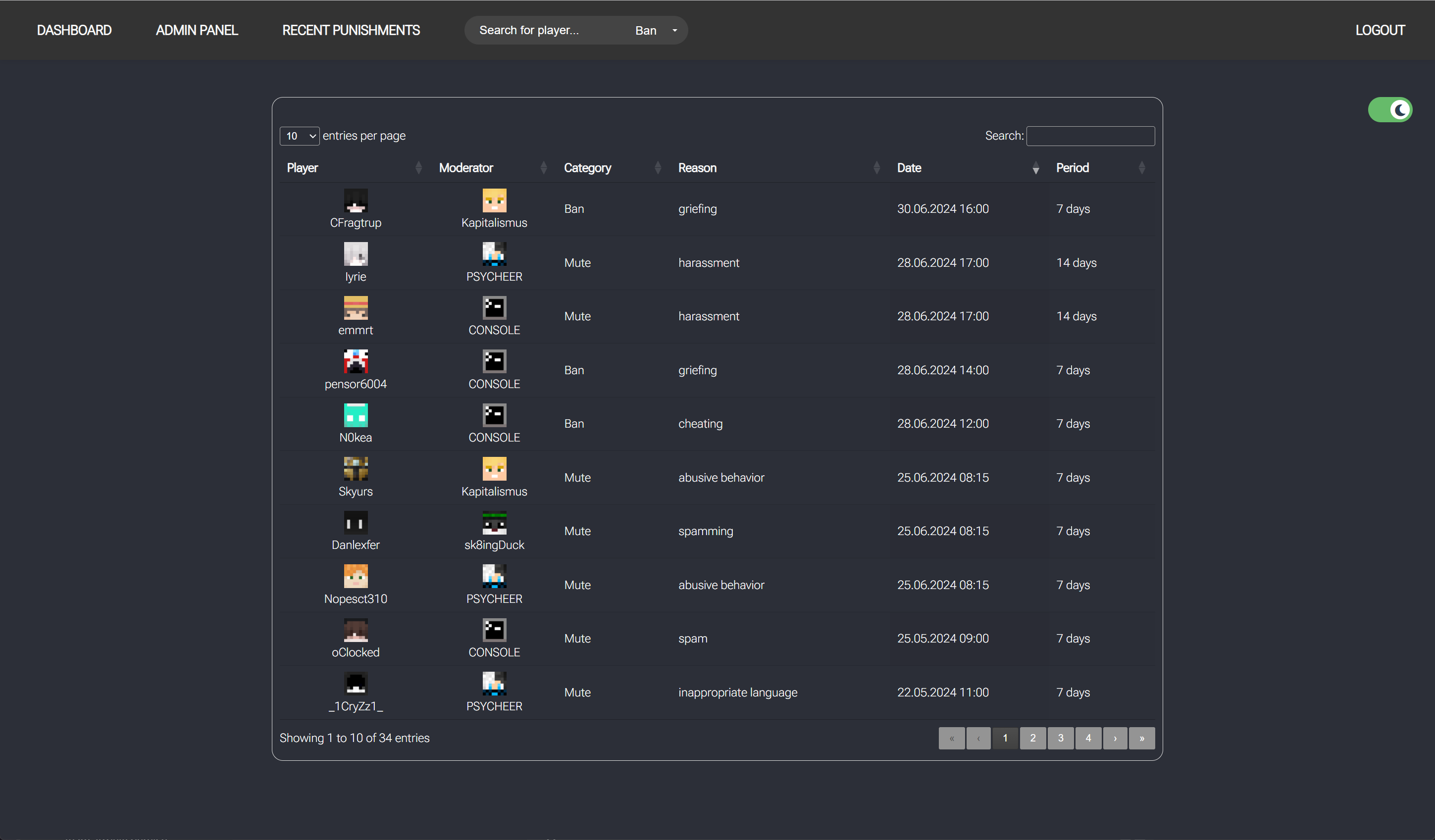
Recent Punishments
Dark Mode
Permissions
Player Ban History
Every single message is configurable.
_______________________________________________________________________
Web Admin Panel:
There is also a website that helps you manage the bans.
You can ban, unban players, view or edit their ban history, and more.
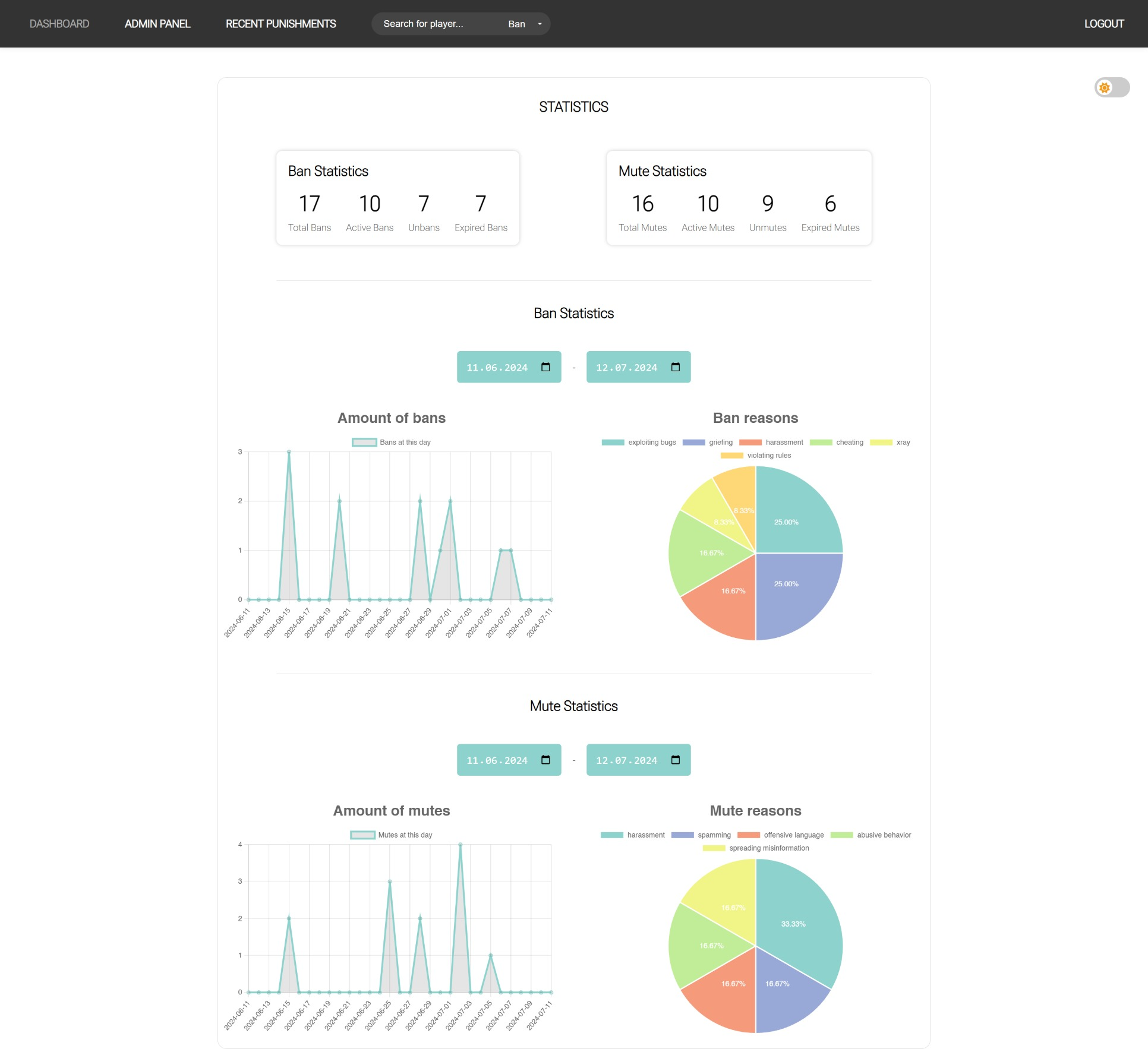
Additionally, there is a dashboard where you can view statistics about your bans, such as the most common ban reasons.
The web interface also features a permissions system.
The source code of the website and the plugin is included!
More details below!
_______________________________________________________________________
Commands:
- /ban [player] [time] [reason] - Bans a player for a specific time. If no time is specified, the ban is permanent.
- /ban [player] #<template-id> - Bans a player using a specific ban template.
- /unban [player] [reason] - Unbans a player.
- /baninfo [player] - Shows all current and past bans of a specific player.
- /clearbans [player] - Clears all ban records of a specific player.
- /bantemplate list - Lists all available ban templates.
- /bantemplate add <time> <reason> - Adds a new template.
- /bantemplate edit <id> <time> <reason> - Edits an existing template.
- /bantemplate remove <id> - Removes a template with the specified ID.
Permissions:
- bansystem.ban - Allows the use of the /ban command
- bansystem.ban.permanent - Allows permanent banning
- bansystem.ban.<GROUP> - Allows temporary banning
- bansystem.unban - Allows unbanning
- bansystem.baninfo - Allows viewing ban information
- bansystem.bantemplate - Allows adding/editing/removing templates
- bansystem.banreload - Reloads the ban configuration
If you want a group, e.g., Supporters, to only be able to ban players for a certain amount of time, you must create a permission in the settings.yml as follows:
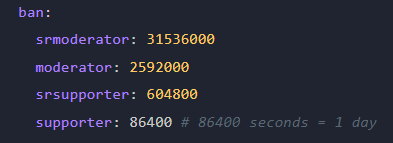
and assign the permission (bansystem.ban.supporter) to the supporters. You can create as many permissions as you want.
Do not forget to also give the group the bansystem.ban permission!
_________________________________________________________________________
Compatibility:
- Spigot / Paper / Bukkit [1.8 - 1.21]
- Bungeecord / Waterfall [1.8 - 1.21]
- Online / Offline Mode
Installation:
Do not install both plugins!
If you have a Bungeecord server, place the MuteSystem-Bungee.jar into the plugins folder of your Bungeecord server.
If you have a Spigot server, place the MuteSystem-Spigot.jar into the plugins folder of your Spigot server.
OPTIONAL (if you want to use the Web Admin Panel):
- Upload the website to your web server.
- Enter the MySQL details in the mysql/mysql.php file. The MySQL details must match those on the Bungeecord / Spigot server.
- Log in to the website with the username 'admin' and the password 'admin' and create a new user.
_________________________________________________________________________
BanHelp
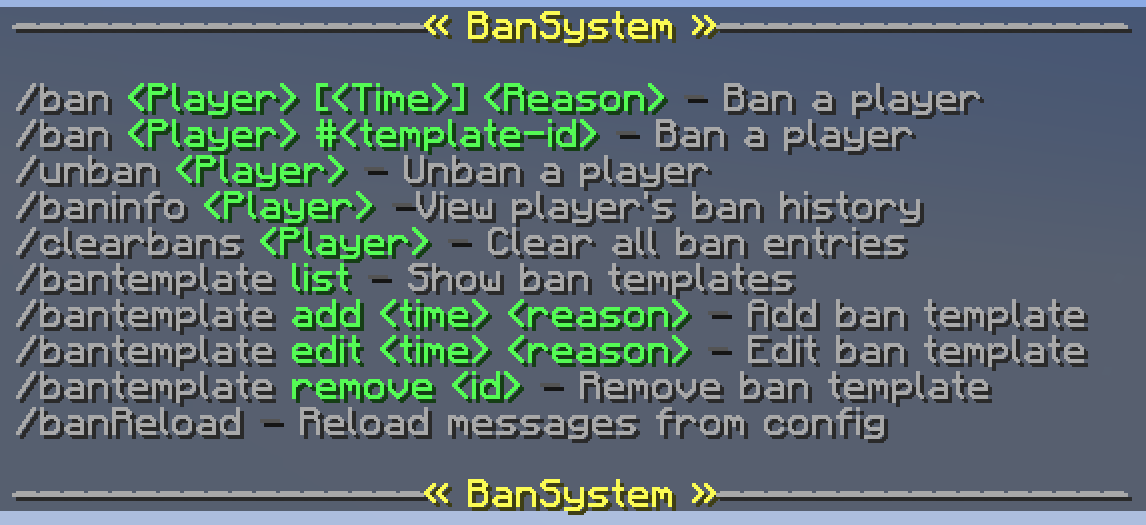
Ban Templates (example)
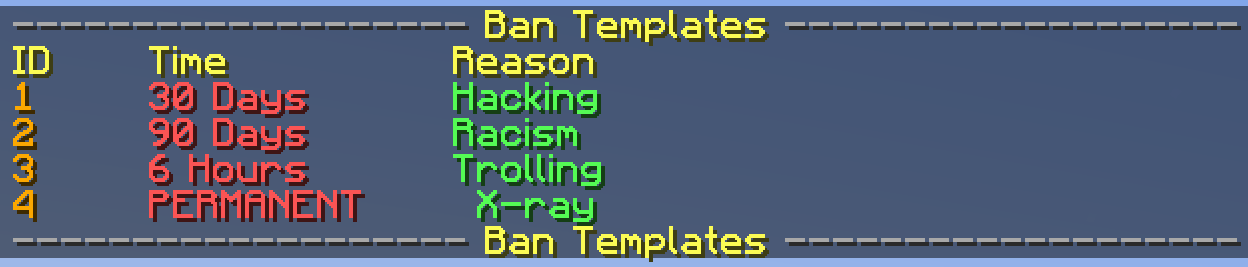
Ban message

Ban history
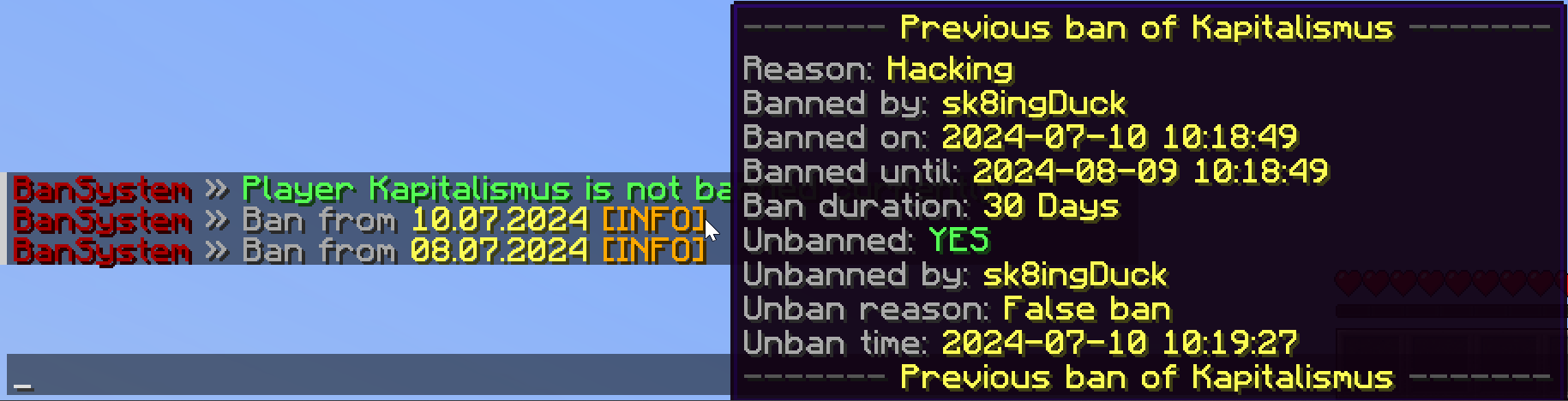
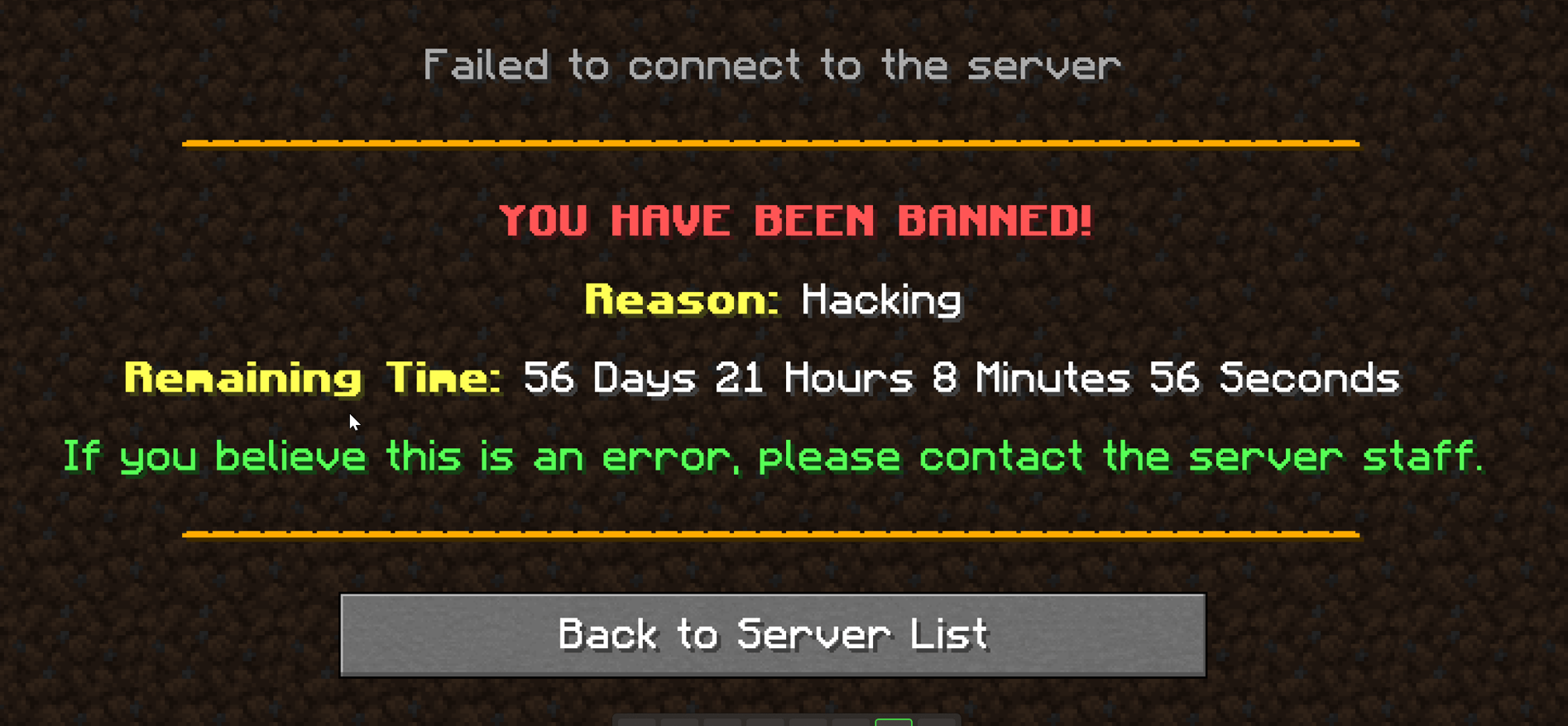
Ban Screen
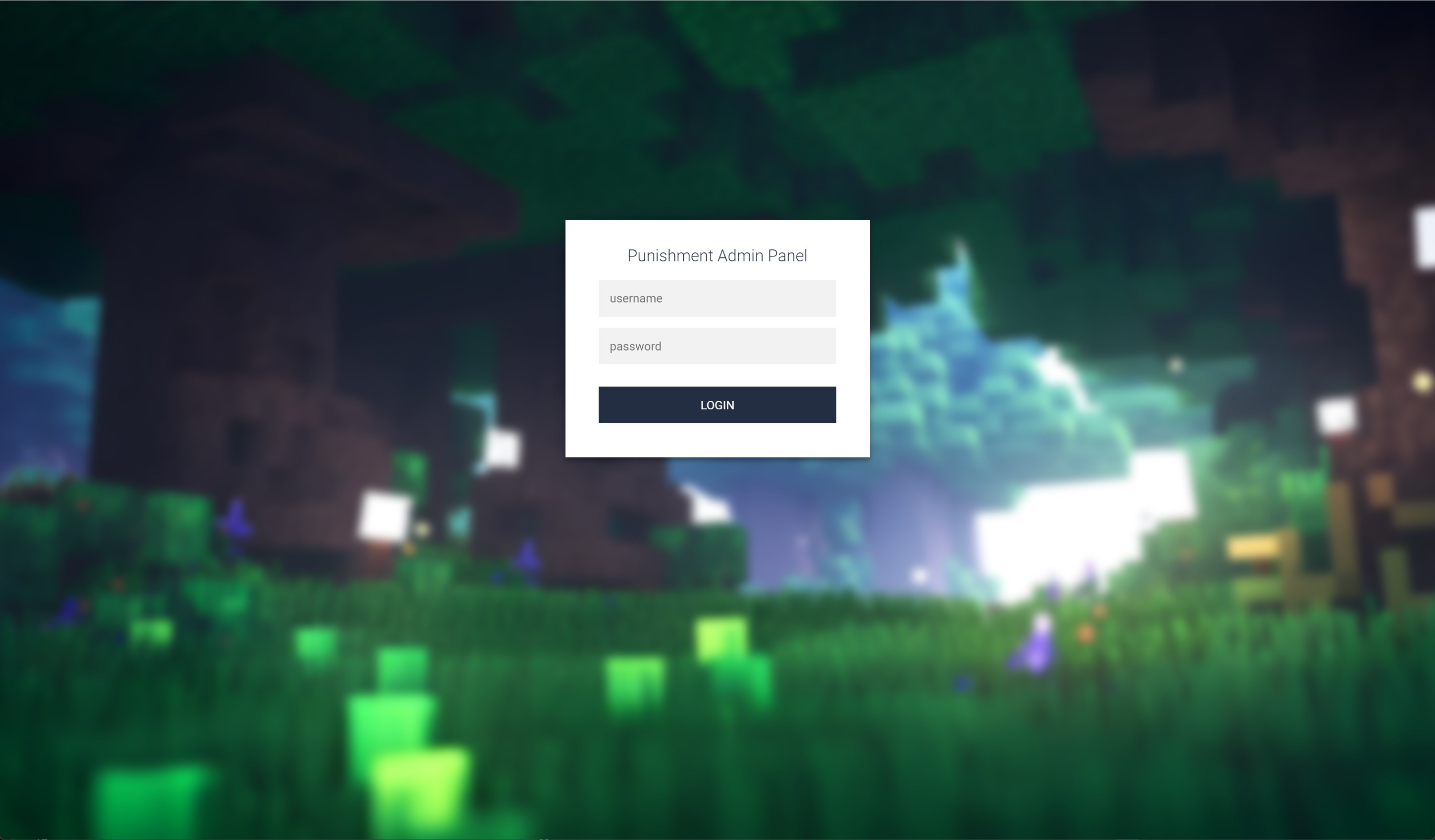
Web Interface Login
Dashboard
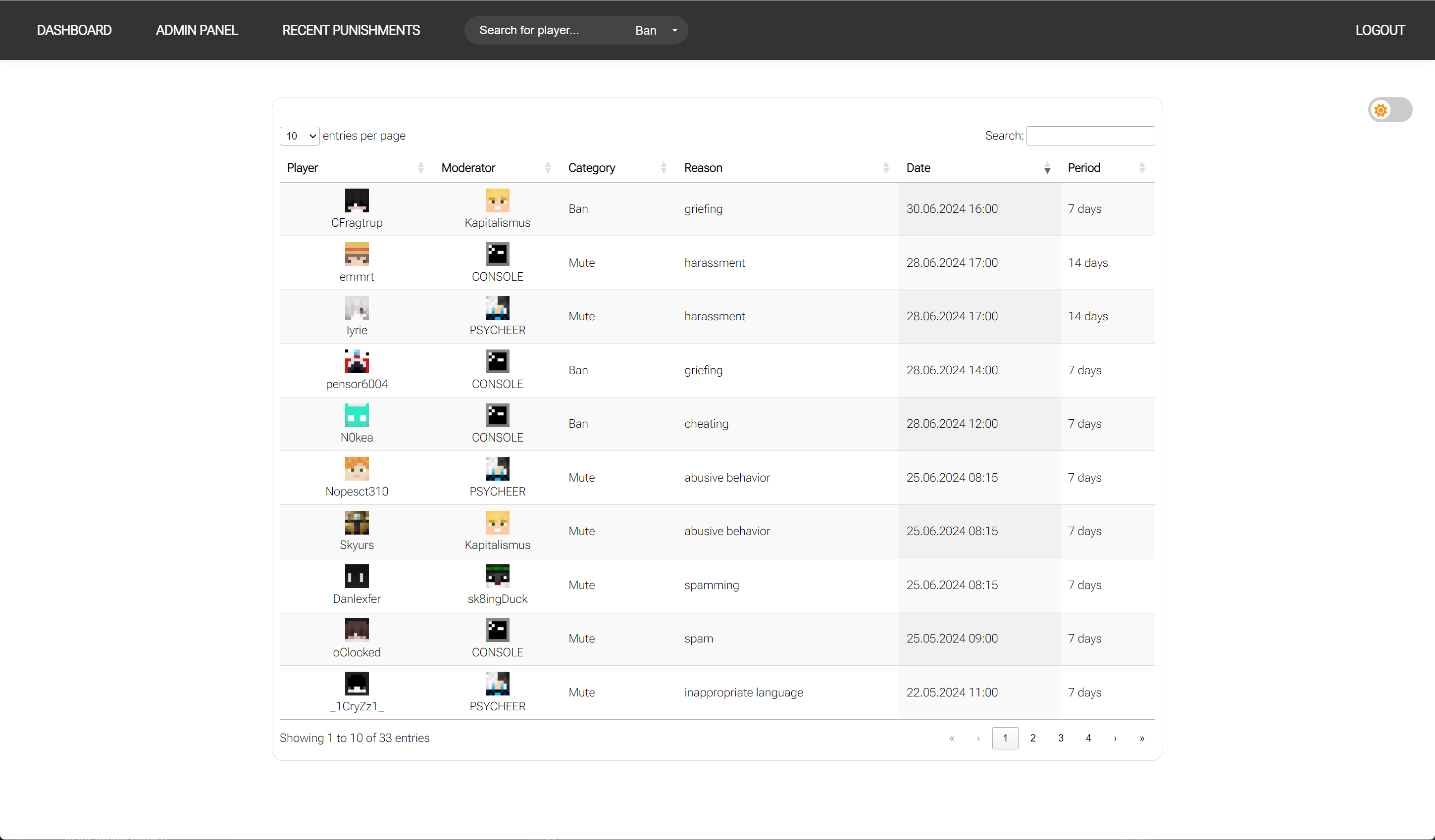
Recent Punishments
Dark Mode
Permissions
Player Ban History


![MarketPlace - Safe and Easy trade! [Discord Notifications, Web Client, DB, Logs]](/data/resource_icons/1/1903.jpg?1718365119)
