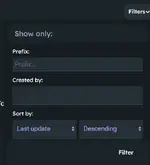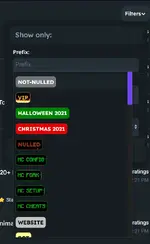

If you are trying to search for resources under certain prefixes, but are feeling lazy and don't feel like manually typing them in, what you can do, is after clicking the filter button on the leaks page, is actually click on the box where you are supposed to type in the prefixes, and automatically a drop down box allowing you to select the prefixes you want to search for will appear instead of you having to type in the prefixes.
This is also useful when you want to see what the different types of prefixes that are available are, as it will show all the various prefixes that can be used to filter by.


This is also useful when you want to see what the different types of prefixes that are available are, as it will show all the various prefixes that can be used to filter by.