
Official page:

Map Voter and Auto wipe script
🎯 What is MapVoter? MapVoter is a comprehensive Rust server management plugin that automates the entire wipe cycle - from map generation and community voting to server restarts and updates. Let your players choose the next map while you enjoy fully automated server maintenance. Perfect for: - ✅ C...
 codefling.com
About Map Voter and Auto Wipe Script
What is MapVoter?
MapVoter is a comprehensive Rust server management plugin that automates the entire wipe cycle - from map generation and community voting to server restarts and updates. Let your players choose the next map while you enjoy fully automated server maintenance.
Perfect for:
- Community servers wanting player engagement
- Server owners seeking automation
- Admins tired of manual wipe management
- Servers with regular wipe schedules
Key Features
Map Voting System
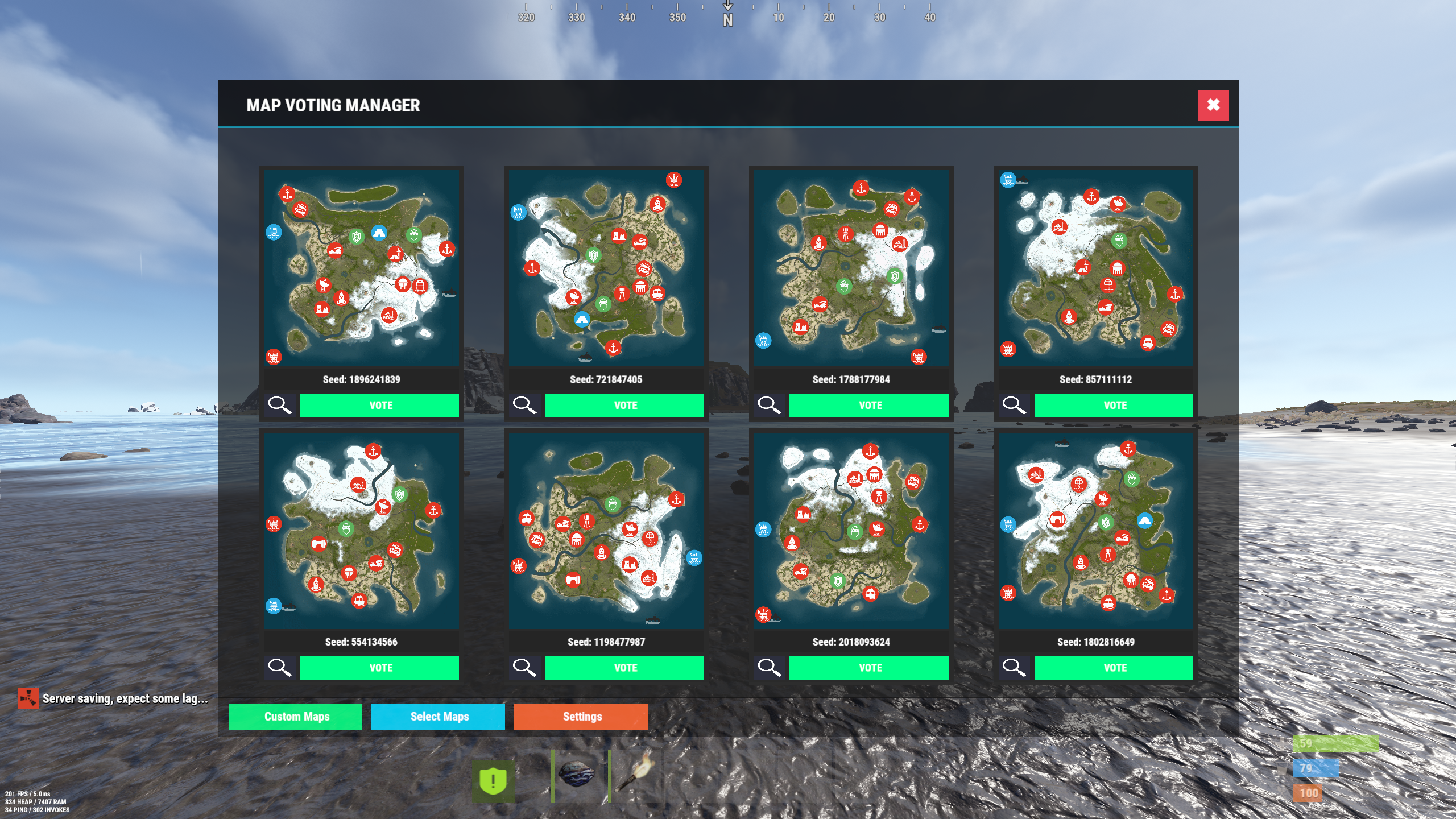
- In-Game UI Voting - Interface for players to vote
- Discord Integration - Vote directly from your Discord server
- Multiple Map Sources - Generate random maps, use RustMaps.com filters, or create custom maps
- Duplicate Vote Prevention - Optional Discord authentication to prevent vote manipulation
Fully Automated Wipe Management
- Scheduled Auto-Wipes - Set your wipe schedule (weekly, bi-weekly, monthly)
- Forced Wipe Support - Automatically handles Rust's monthly forced wipes
- Custom Wipe Cycles - Define your own map/BP wipe schedules
- Countdown Timers - Players see exactly when the wipe occurs
- Pre-Wipe Voting - Start votes X days before wipe for maximum participation
Flexible Map Generation
- Procedural Maps - Generate random maps with custom seeds
- RustMaps.com Integration - Select from thousands of pre-made maps
- Filter Support - Use RustMaps filter IDs to match your server style (staging, etc.)
- Custom Map URLs** - Use your own map files or RustMaps premium maps
- Auto-Generate Custom Maps - Subscribers can auto-generate maps every wipe
UI Design
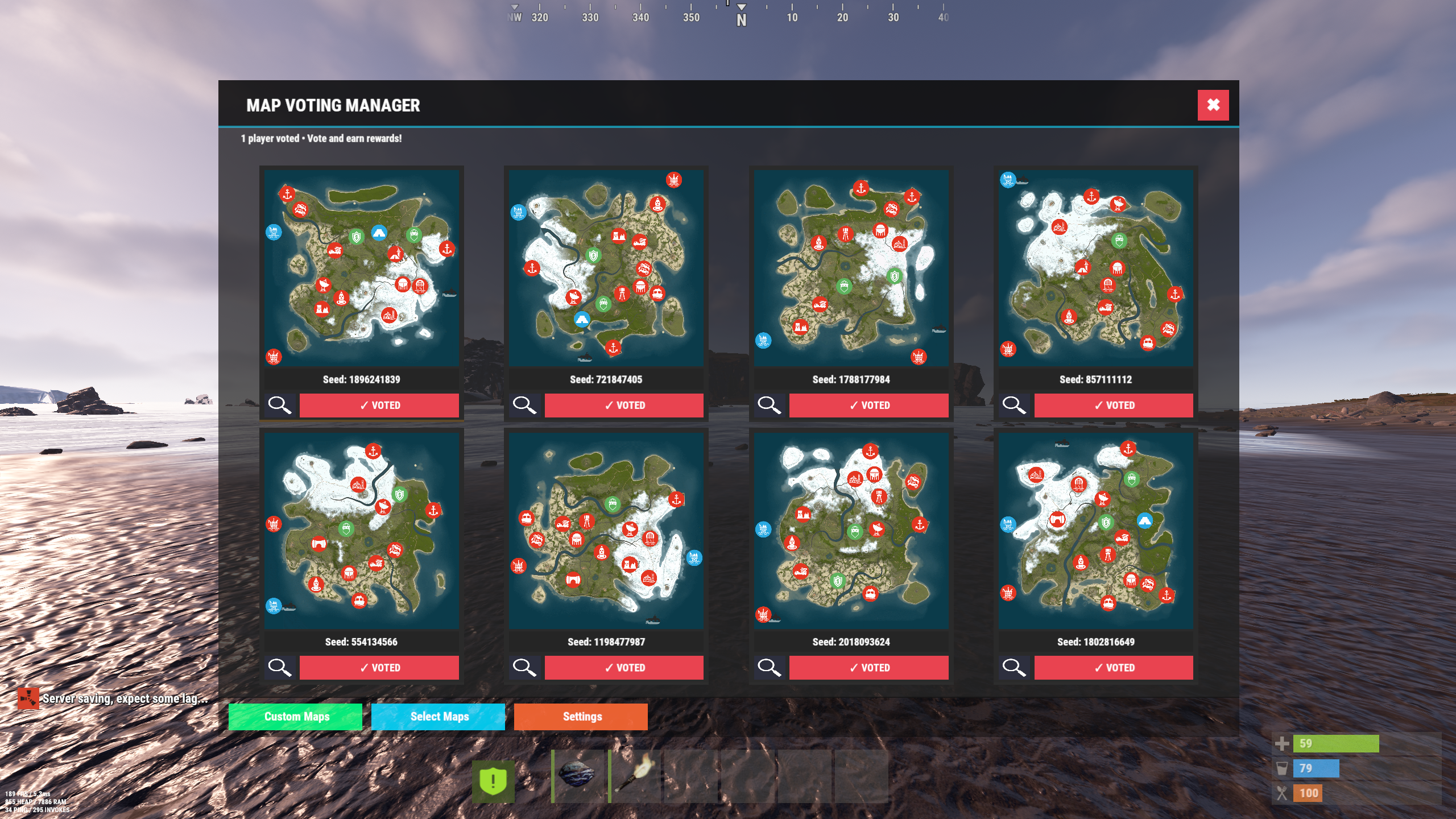
- In-Game Interface - Clean voting and admin menus
- Admin Dashboard - Settings GUI for easy configuration
Fun Kit System
- Pre-Wipe Events - Enable fun kits before wipe to keep players engaged
- Automatic Activation - Triggers X minutes before wipe
- Blueprint Lock - Prevents BP farming during fun kit period
- Kits Plugin Integration - Works with your existing kit setups
Discord Bot Integration
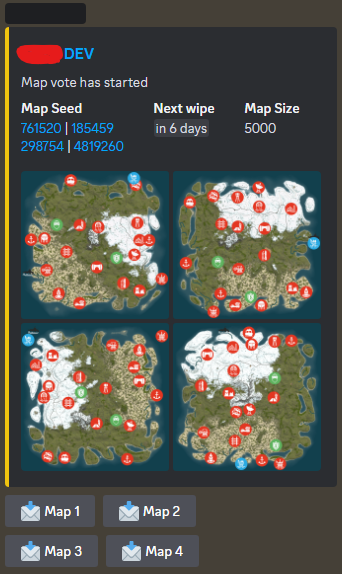
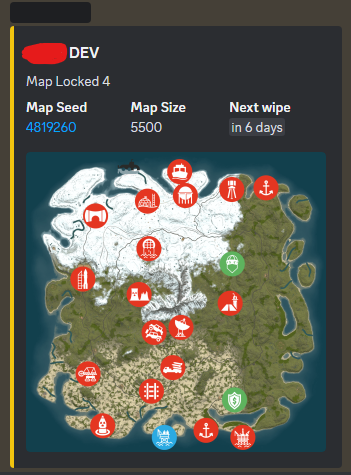
- Vote Embeds- Discord embeds showing all map options
- Command Support - Admin control from Discord
- Role-Based Permissions - Restrict commands by Discord roles
- Multi-Channel Support - Configure different channels for different commands
- Embed Customization - Add your branding with custom avatars and footers
Server Automation
- Auto-Updates - Automatically updates server and Oxide
- File Cleanup - Selectively delete plugin data on wipe
- Server.cfg Management - Automatically updates map seed/size/URL
Advanced Configuration
- In-Game Settings Editor - Change settings without editing files
- Granular Control - Configure every aspect of voting and wiping
- Permission System - Control who can vote and manage
- Debug Logging - Track auto-wipe progress for troubleshooting
- Server Identity Support - Works with multi-server setups
Required Plugins:
- image-library - For displaying map thumbnails
- Wipe Info API - For wipe schedule detection
- Discord Extension - For Discord integration
Server Requirements:
- Windows Dedicated Server, Ubuntu, Pterodactyl Panel, or Open Game Panel
- Administrator privileges for server management
- Standard server structure with `server.cfg` in `/server/{identity}/cfg/`
- Ability to edit server startup command
Optional:
- Kits Plugin - For fun kit feature
- Server Rewards - For vote rewards
- RustMaps Account - For premium map features
Quick Start Guide
1. Installation
1. Upload MapVoter.cs to /oxide/plugins/
2. Install required dependencies (Image Library, WipeInfoApi, Discord Extension)
3. Restart server to generate configuration file
2. Basic Configuration
Configuration Guide
1. Set your wipe schedule in config (e.g., every 7, 14, 21, 28 days)
2. Configure Discord bot token and channel IDs
3. Set your RustMaps API key (optional)
4. Define your server identity in config
3. Server.cfg Setup
Create/edit your `server.cfg` file in `/server/{identity}/cfg/`:
server.port 28000
server.seed
server.worldsize
server.maxplayers 100
server.hostname "Your Server Name"
server.level "Procedural Map"
4. Test Run
1. Type /mvote in-game to open the menu
2. Generate some test maps
3. Try voting and check results
4. Verify server.cfg updates correctly
Commands
Player Commands
/mvote - Opens the main voting UI
Permission: MapVoter.vote
/voteresult - Shows current vote results
Permission: MapVoter.vote
Admin Commands (In-Game)
/mvote - Opens admin dashboard
Permission: MapVoter.Manager
/startvote - Starts voting after selecting maps
Permission: MapVoter.use
MapVoter.generate <count> <seed> <duration> - Generate maps and start vote
Permission: MapVoter.use
MapVoter.mapwipe <delay> <size> - Wipe map with new size
Permission: MapVoter.use
MapVoter.mapwipe <delay> <url> - Wipe with custom map URL
Permission: MapVoter.use
MapVoter.bpwipe <delay> <size> - Wipe map and blueprints
Permission: MapVoter.use
MapVoter.bpwipe <delay> <url> - BP wipe with custom map
Permission: MapVoter.use
MapVoter.cancelwipe - Cancel ongoing wipe countdown
Permission: MapVoter.use
MapVoter.stopvoting - Stop current vote
Permission: MapVoter.use
MapVoter.update <delay> - Update server and Oxide
Permission: MapVoter.use
MapVoter.cancelupdate - Cancel update countdown
Permission: MapVoter.use
MapVoter.reload - Reload plugin configuration
Permission: MapVoter.use
Discord Commands
!vote - Show current vote options
!generate <count> <seed> <duration> - Generate and start vote
!mapwipe <delay> <size> - Trigger map wipe
!bpwipe <delay> <size> - Trigger BP wipe
!cancelwipe - Cancel wipe
!stopvoting - Stop voting
!update <delay> - Update server
!cancelupdate - Cancel update
Permissions
MapVoter.vote - Allows players to vote on maps
MapVoter.use - Basic admin functions (generate, start vote)
MapVoter.Manager - Full admin access to all features
Configuration Overview
Auto Vote System:
• Enable/disable auto-voting
• Set days before wipe to start vote
• Define vote start time (24-hour format)
• Number of maps to generate
Auto Wipe System:
• Enable/disable auto-wipe
• Map wipe schedule (e.g., days 7, 14, 21, 28)
• BP wipe schedule (e.g., day 0 = forced wipe)
• Custom wipe times
• Forced wipe handling
RustMaps Integration:
• API key configuration
• Filter ID support
• Staging/barren preferences
• Search depth (pages per request)
Discord Configuration:
• Bot token
• Channel IDs (voting, logs)
• Command prefix
• Role-based permissions
• Avatar and footer customization
Data Cleanup:
• Plugin data files to delete on wipe
• Separate lists for forced wipe and map wipe
Common Use Cases
Weekly Wipe Server
"Map Wipe schedule": [7],
"BP Wipe schedule": [0],
"Start voting x days before wipe": 2
Maps wipe every 7 days, BPs wipe on forced wipe, voting starts 2 days early.
Bi-Weekly with Community Choice
"Map Wipe schedule": [14],
"BP Wipe schedule": [0, 14],
"Number of maps to generate": 6
Wipes every 14 days, BPs wipe twice (forced + bi-weekly), 6 map options.
Monthly with RustMaps
"Map Wipe schedule": [28],
"Select random maps from rustmaps filter id": true,
"filter Id": "your_filter_id"
Monthly wipe using curated RustMaps with your preferred settings.
Troubleshooting
Vote Not Starting Automatically?
• Check WipeInfoApi is loaded
• Verify wipe schedule matches your server
• Ensure "Auto start vote" is enabled
• Check console for errors
Server Not Wiping?
• Verify server.cfg path in config
• Check server identity matches
• Enable debug mode for detailed logs
• Test with manual wipe command first
Discord Bot Not Working?
• Verify bot token is correct
• Check channel IDs are valid
• Ensure bot has proper permissions
• Verify Discord Extension is installed
Maps Not Generating?
• Check RustMaps API key (if using filters)
• Verify Image Library is loaded
• Test with procedural generation first
• Check filter ID is valid
Best Practices
For Server Owners:
1. Test First - Run dry-run commands with no players online
2. Backup Regularly - Always backup before major wipes
3. Communicate - Use Discord to inform players of wipe schedule
4. Monitor Logs - Enable debug mode during first few wipes
5. Update Dependencies - Keep Image Library and WipeInfoApi current
For Players:
1. Vote Early - Don't wait until the last minute
2. Check Discord - Vote announcements posted there
3. Review Maps - Look at thumbnails before voting
4. Follow Rules - One vote per person (if authentication enabled)
Bonus Features
Fun Kit System
Keep players engaged before wipe with special kits:
• Pre-wipe PvP events
• Testing new builds
• Practice raids
• Community fun
Server Rewards Integration
Reward players for voting:
• Give reward points per vote
• Encourage participation
• Build community engagement
Multi-Server Support
Run multiple servers with one plugin:
• Server identity configuration
• Independent wipe schedules
• Shared Discord bot


