Official page:
RustCuiEditor - Visual CUI creator
Rust CUI Editor Visual Interface Designer for Rust Stop writing UI code blindly. Design your CUI interfaces visually and export ready-to-use code in seconds. What is this? Rust CUI Editor is a desktop application for creating Rust game UI (CUI) interfaces using a visual drag-and-drop editor. Inst...
 codefling.com
Rust CUI Editor
Visual Interface Designer for Rust
Stop writing UI code blindly. Design your CUI interfaces visually and export ready-to-use code in seconds.
Credits to Scorpvm
 We will be updating this tool to the latest version very soon!
 What is this?
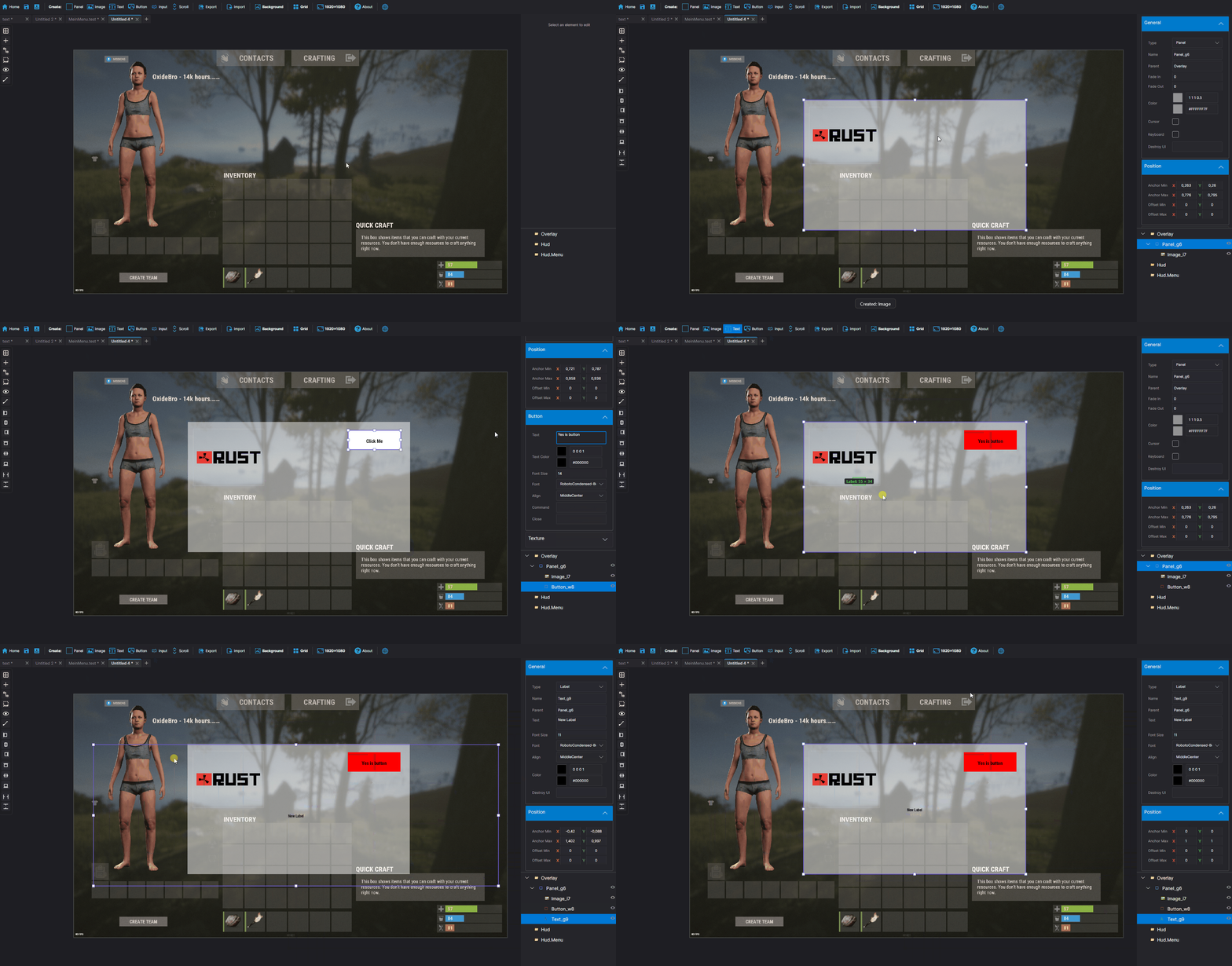
Rust CUI Editor is a desktop application for creating Rust game UI (CUI) interfaces using a visual drag-and-drop editor. Instead of writing dozens of lines of CuiHelper code and constantly reloading your plugin to see the result, you design everything visually and get clean, working code instantly.
Video demonstration
(At the moment the version is already newer with new features)
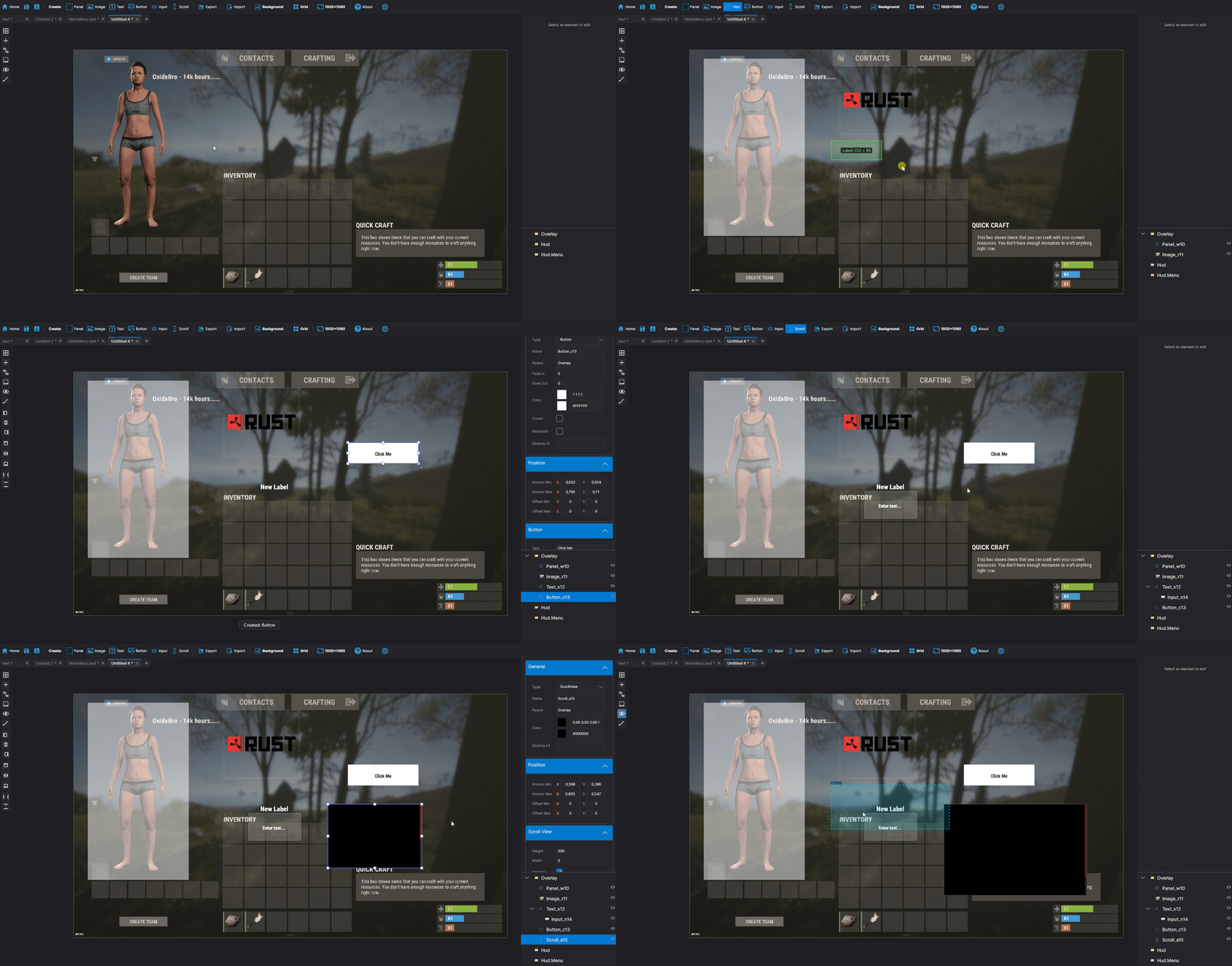
Elements Panel Image (URL/sprite) Label (with outline) Button InputField ScrollView Countdown Draggable Slot NeedsCursor / NeedsKeyboard | Layout Horizontal Layout Group Vertical Layout Group Grid Layout Group Content Size Fitter LayoutElement | Visual Drag elements on canvas Resize with 8 handles Multi-selection Marquee select Anchor/offset system Element rotation Inline text editing Element locking | Alignment Left / Center / Right Top / Middle / Bottom Stretch to parent Match Width/Height Distribute evenly |
 Find & Replace
| Search and replace element properties across the entire project at once. No need to click through each element manually. ► Search by text content, color value, sprite, or material ► Filter results by element type ► Replace single matches or all at once ► Full undo support for bulk replacements |
Inspect Element| Dedicated inspection window for any selected element. Shows all properties in structured form alongside the raw CUI JSON output. ► All component properties in one place ► Raw CUI JSON with one-click copy ► Useful for debugging and quick exports ► Opens with shortcut or right-click menu |
Snapshots| Save named project states at any point and restore them without losing your current work. Snapshots are completely separate from undo history. ► Create named snapshots before risky changes ► Restore any snapshot at any time — current work is preserved ► Stored in a .snapshots folder next to the project file► Independent from undo/redo stack |
Wrap in Parent| You've built a header with a label and a close button, then realize you forgot to add a background panel behind them. Select all elements, right-click, Wrap in Parent — done. Nothing moves. ► Works with any selection of elements ► New parent is sized to the bounding box of the selection ► All anchors recalculate automatically ► Wrap into Panel, Button, Image, or ScrollView |
Themes| Dark Theme Default dark interface. Easy on the eyes during long sessions. | Light Theme Full light mode across all panels, dialogs, and overlays. Toggle in settings. |
Plugin ImportLoad CUI elements directly from an existing .cs plugin source file. The parser reconstructs the full element tree for visual editing.► Parses CuiHelper and CuiElementContainer patterns► Resolves local variables and string constants ► Handles loops and repeated element generation ► Substitutes lang message references with preview text ► Works on any Oxide/Carbon plugin file |
Built-in Reference| A built-in help system with searchable articles covering the entire CUI system. No need to leave the editor to look something up. ► Articles for every element type and property ► Covers layers, ScrollView, blur materials, anchors, offsets, fonts ► Shortcut reference with all editor hotkeys ► Live demo canvas inside each article ► One-click "Add to project" from any example |
Performance RewriteCanvas GPU rendering Scene bitmap cache Static layer cache SKPicture cache SKPaint pooling Text layout cache Typeface cache Pan without full re-render | Element Tree Debounced rebuild on rapid changes Bulk update batching Fast flat selection cache O  ThumbnailBrush cache Detach() memory leak fixed | Color Picker Real-time updates while dragging Only the affected element redraws No full scene invalidation |
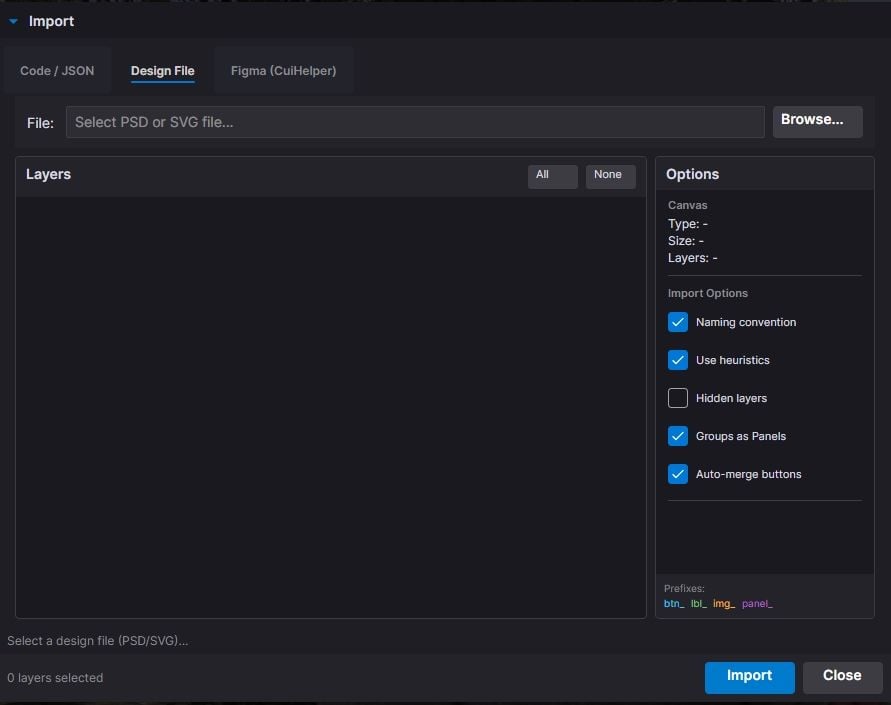
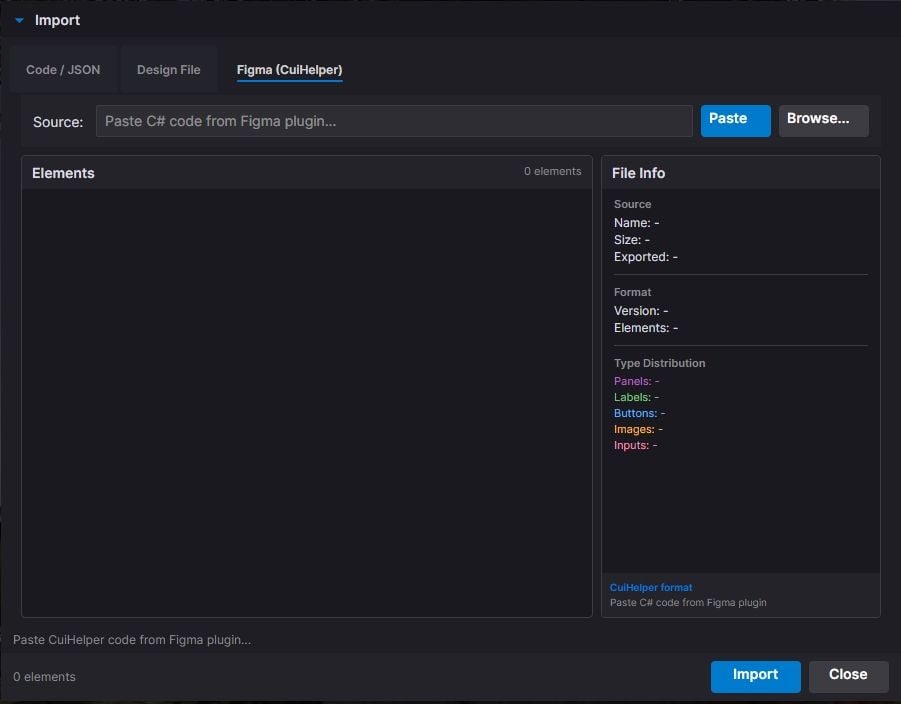
Live PreviewSee your UI exactly as it appears in-game, right inside the editor. Every element is fully rendered with correct Rust scaling, colors, sprites, and fonts. No need to reload your plugin to check the result.
Rendering Panels & Images Labels with fonts Rich Text support Sprite tinting FadeIn / FadeOut | Interactive Button hover & press ScrollView with inertia Elastic bounce Auto-hiding scrollbars Live Countdown | Drag & Drop Draggable elements Slot filter matching MoveToAnchor snap Element swapping KeepOnTop z-order | Tools Element Inspector Grid overlay Outlines view Auto-sync with editor Screenshot to PNG |
| All CuiDraggableComponent properties are supported in preview: LimitToParent, MaxDistance, AllowSwapping, DropAnywhere, DragAlpha, ParentPadding, ParentLimitIndex, AnchorOffset, and more. ► Pick up Draggable elements and drop them into Slots ► Filter matching ensures only compatible elements snap ► Swap elements between occupied slots ► Inspector overlay shows element info on hover (shortcut: I) ► Grid and outline overlays for layout debugging (G / O) ► Background selector: dark, light, or any game screenshot ► Auto-sync keeps preview updated as you edit ► Export preview as PNG screenshot (S) |
Smart Hook Generation| When your project uses Draggable or Slot elements, the export automatically generates ready-to-use hook methods with proper logic: ► OnCuiDraggableDrag with if/switch blocks for each draggable► OnCuiDraggableDropped with switch by slot name► Comments with accepted elements and filter values ► Works in both Snippet and Plugin export modes |
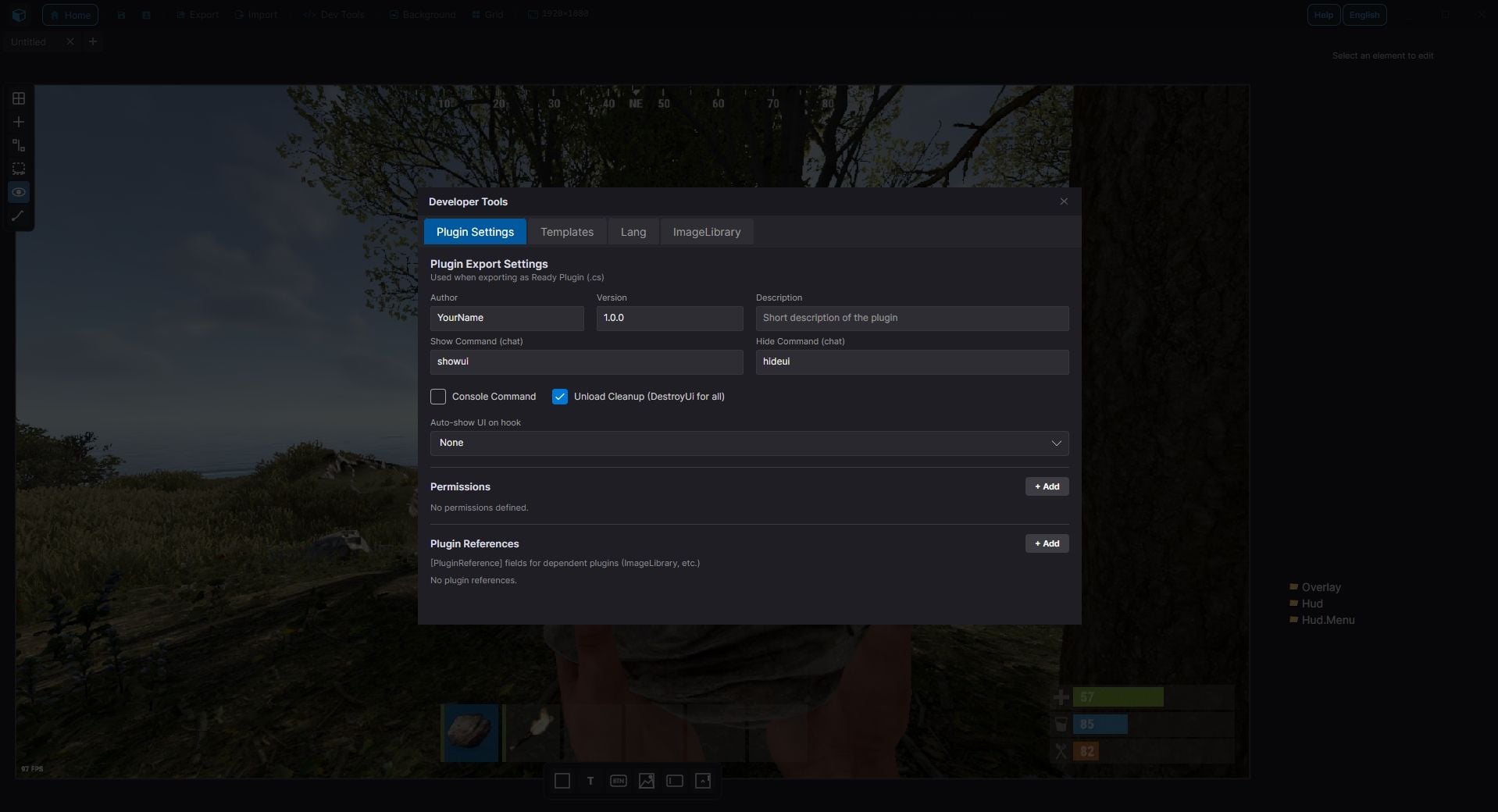
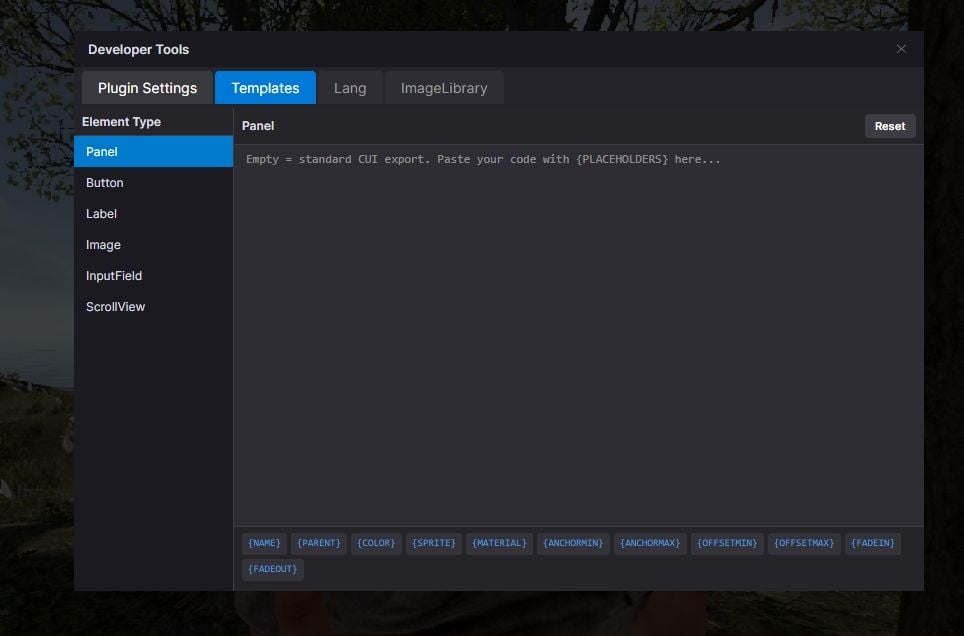
Developer ToolsProfessional plugin development toolkit with four dedicated tabs:
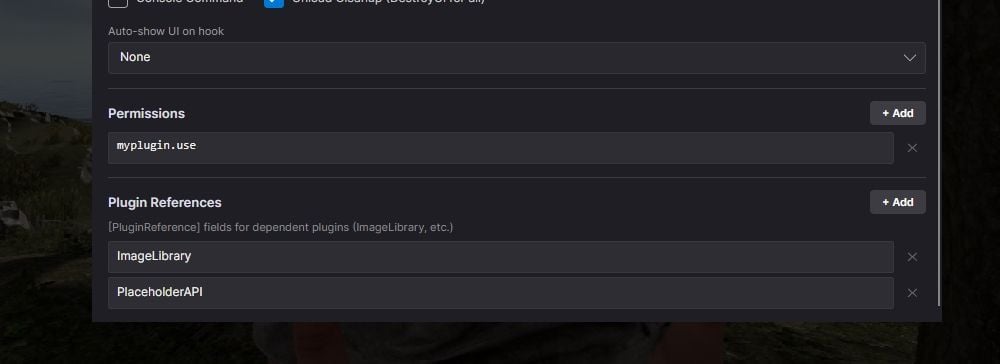
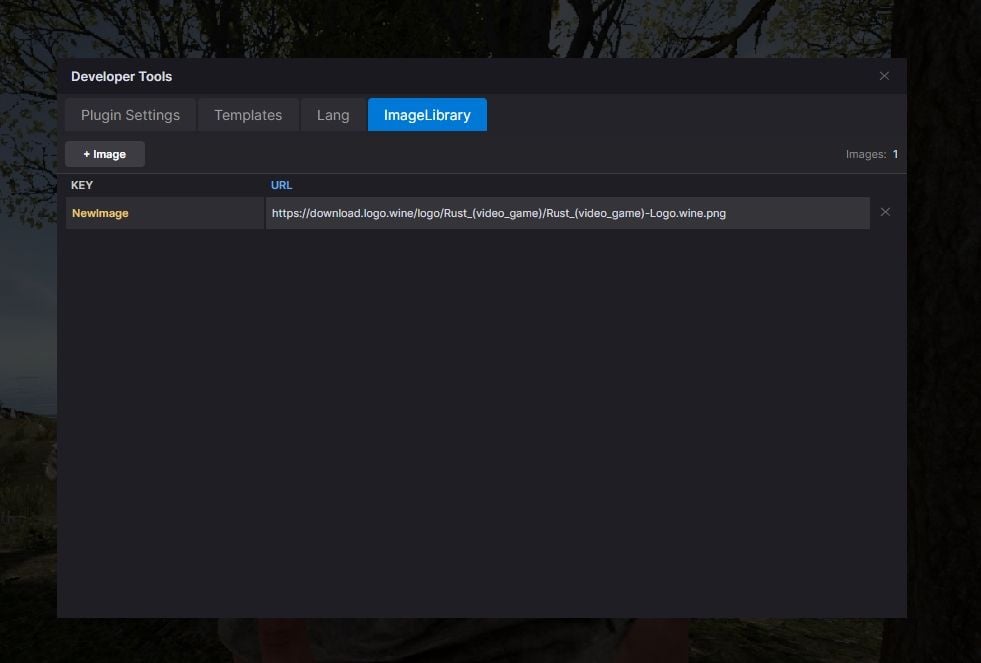
Plugin Settings Author & version Chat/console commands Auto-show hooks Permissions list Plugin references Generate Unload | Lang System Multi-language support Visual translation table Per-element lang keys lang.GetMessage() export Canvas preview | ImageLibrary Image key/URL table Per-element ImageLib key GetImage() helper Auto OnServerInitialized Auto plugin reference | Templates Reusable code templates Custom method generation Placeholder system Per-project settings |
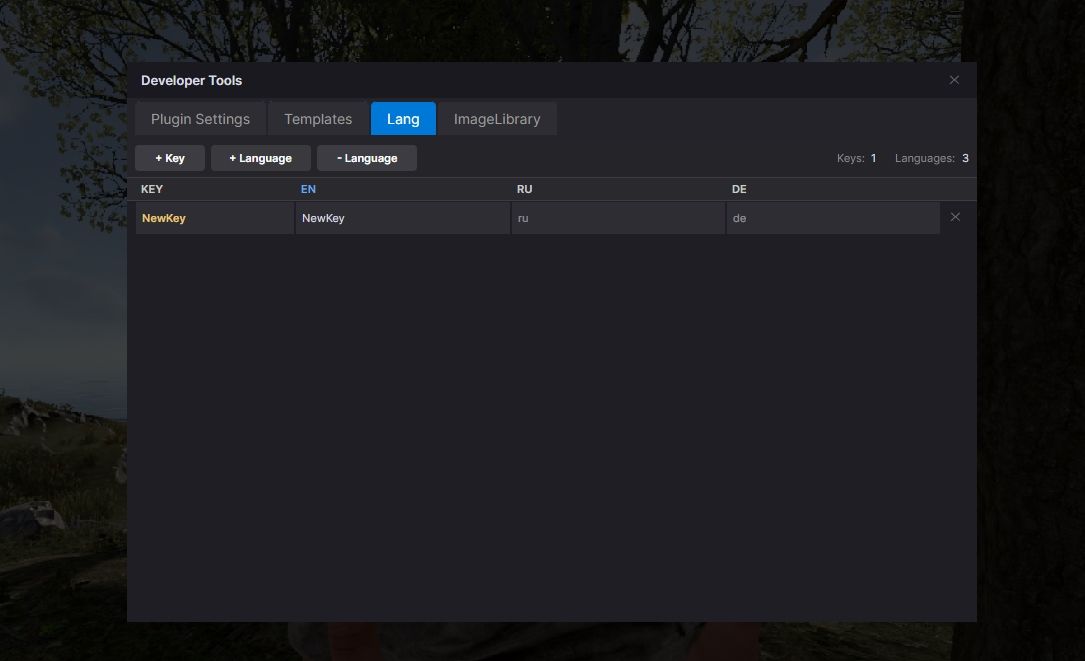
 Localization System
Full multi-language support for your plugins. Assign lang keys to any text element, manage translations visually, and export with automatic lang.GetMessage() calls.► Add unlimited languages (en, ru, de, fr, etc.) ► Visual translation table - edit all strings in one place ► Toggle between raw text and lang key per element ► Canvas shows resolved translations in real-time ► Exported code includes full LoadDefaultMessages with all languages |
 ImageLibrary Integration
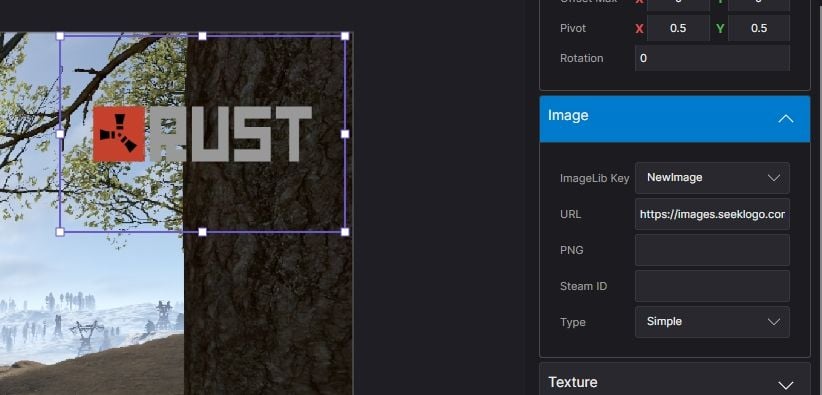
| Manage image assets directly in the editor. Define image keys and URLs, assign them to elements, and get clean export code with automatic ImageLibrary loading. ► Image key/URL table in Dev Tools ► ImageLib Key property on Image elements ► Export generates GetImage() helper method ► Plugin export auto-adds OnServerInitialized with image loading ► Automatic [PluginReference] ImageLibrary in export |
 Syntax Highlighting
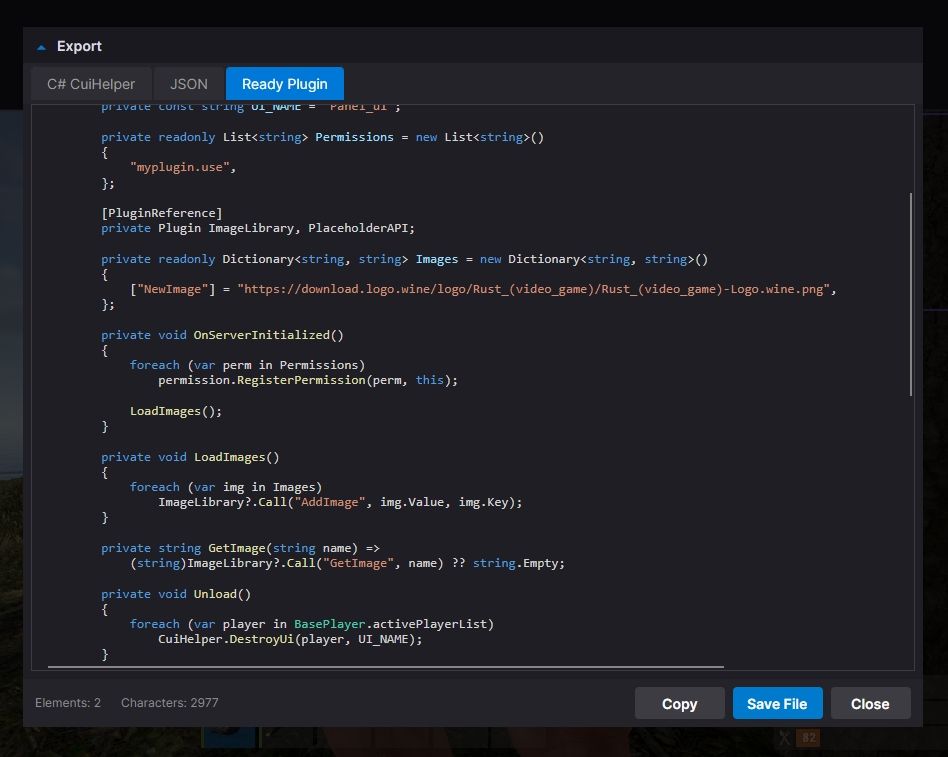
| ► C# syntax highlighting in Export window ► JSON syntax highlighting in Export window ► Color-coded keywords, strings, numbers, comments ► Optimized for large code blocks |
 SVG Design Import
Import your designs directly from professional design tools:
Figma export to SVG and import | Illustrator Adobe AI/SVG support | Inkscape free vector editor | Any SVG standard format |
| ► Automatic source detection optimizes parsing for each tool ► Smart layer hierarchy preservation ► Automatic element type detection (btn_, lbl_, img_, panel_) ► Correct parent-child coordinate conversion |
Figma Plugin & Tools| New "Tools" folder included with the editor: ► CuiHelper Plugin for Figma - export designs directly to C# code ► Sample SVG designs - ready-to-import examples for testing and learning ► Documentation - setup guide for Figma plugin |
Smart Resize Mode| Default Mode Resize by changing Anchor values Perfect for responsive layouts that scale with screen size | Shift + Resize Resize by changing Offset values Perfect for pixel-perfect positioning Orange handles indicate active mode |
Inline Text Editing| ► Double-click any text element to edit it directly on canvas ► No need to switch to the property panel, just click and type ► Press Enter or click outside to confirm changes |
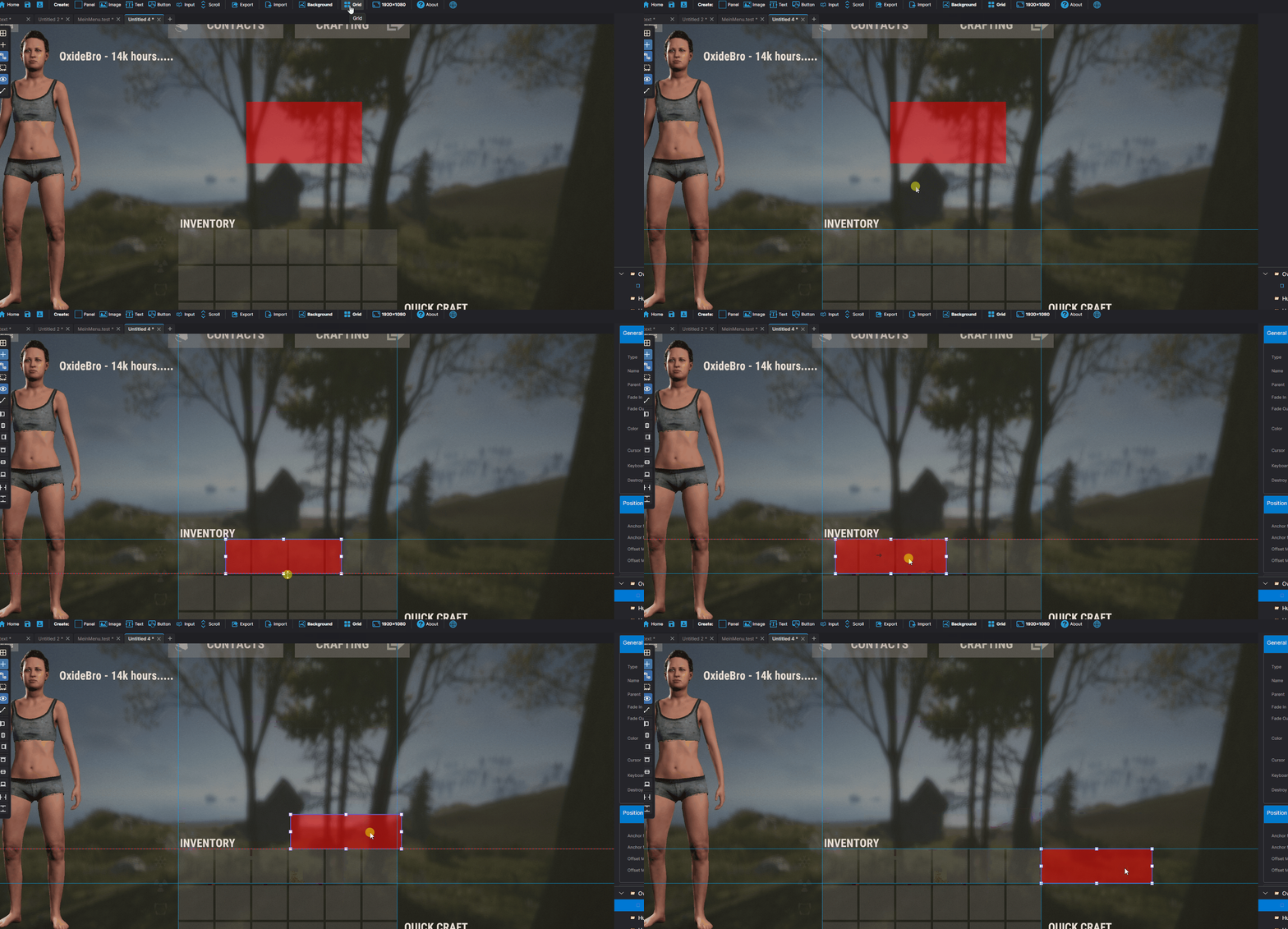
Guides, Grid & Smart Snapping
| ► Draggable guides from rulers ► Customizable grid with snap ► Smart guides - auto-snap to edges ► Distance indicators while dragging | 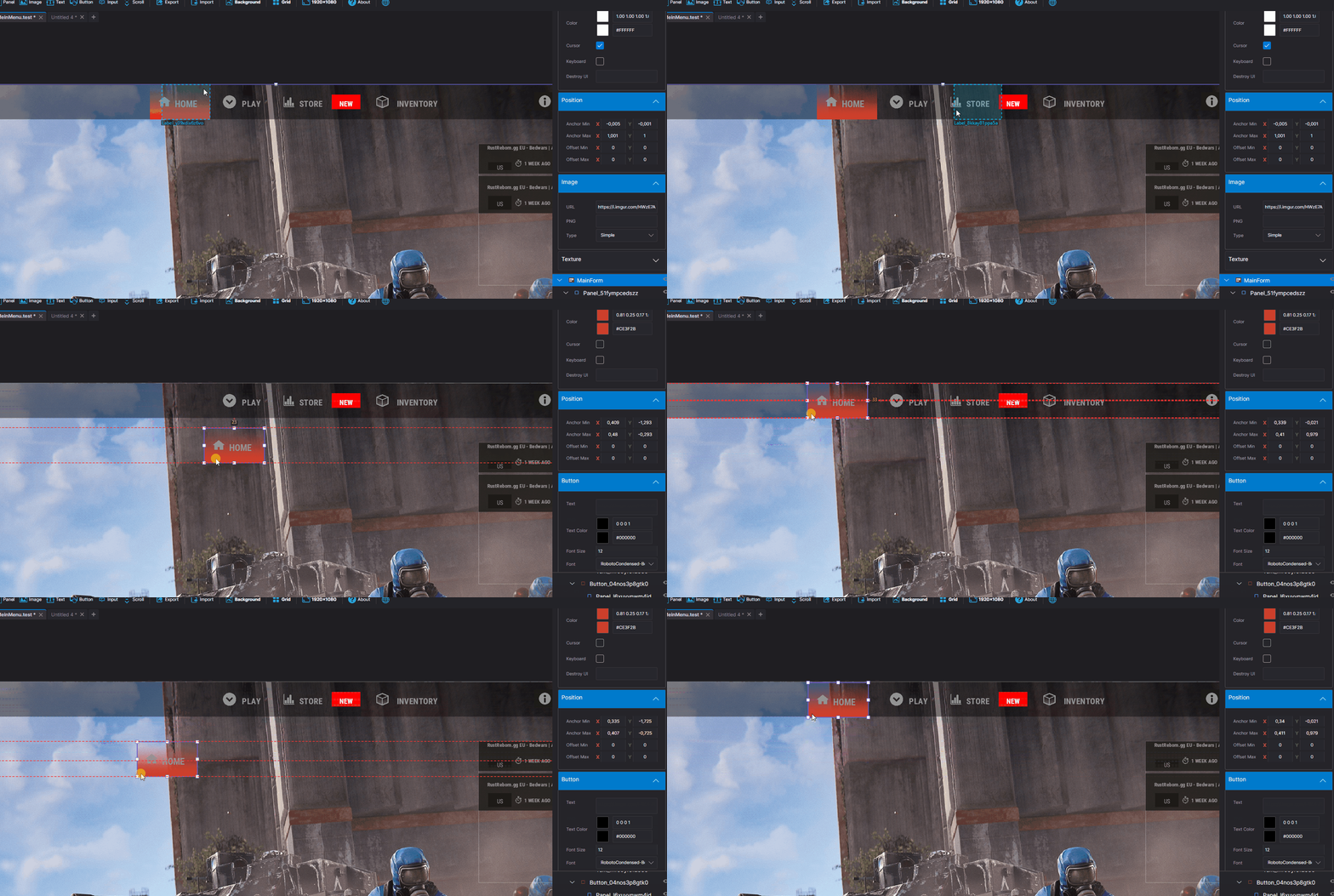
|
Multiple Backgrounds
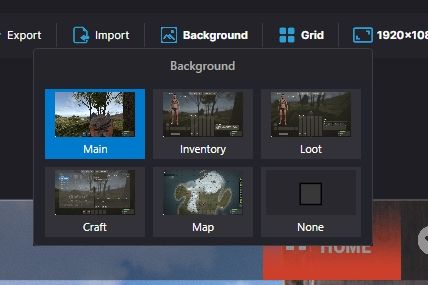
Preview your UI on actual game screenshots:
Game view • Inventory • Loot container • Crafting • Map • Transparent

Export Formats
Generate ready-to-use code in three formats:
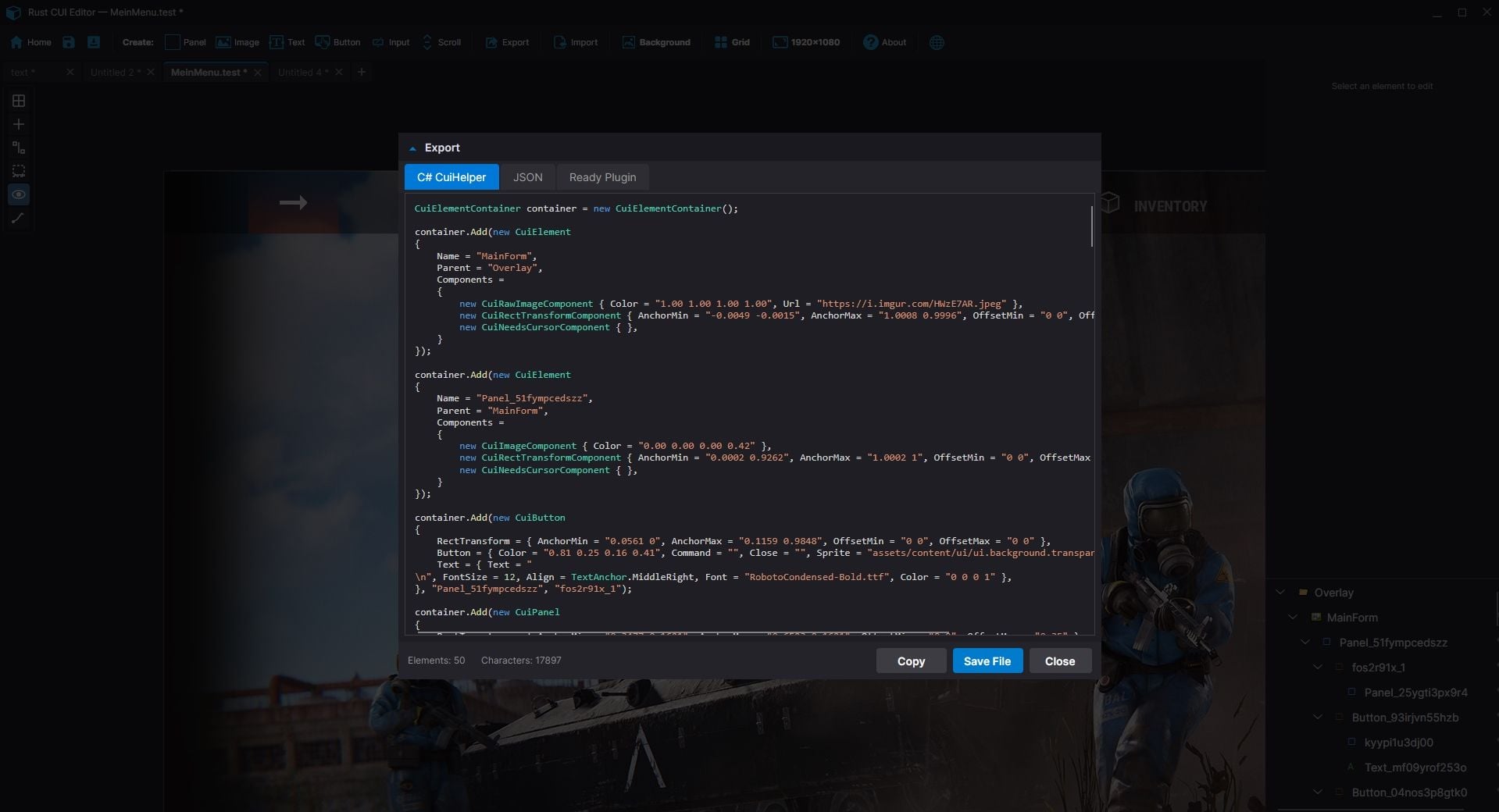
C# (CuiHelper)container.Add(new CuiPanel { RectTransform = { AnchorMin = "0.3 0.3", AnchorMax = "0.7 0.7" }, Image = { Color = "0.1 0.1 0.1 0.9" }}, "Overlay", "MyPanel"); | JSON[{ "name":"MyPanel", "parent":"Overlay", "components":[...]}] | Full Plugin Complete .cs file with: • using statements • class definition • commands & permissions • Lang & ImageLib integration • all UI code |
Import Existing Code
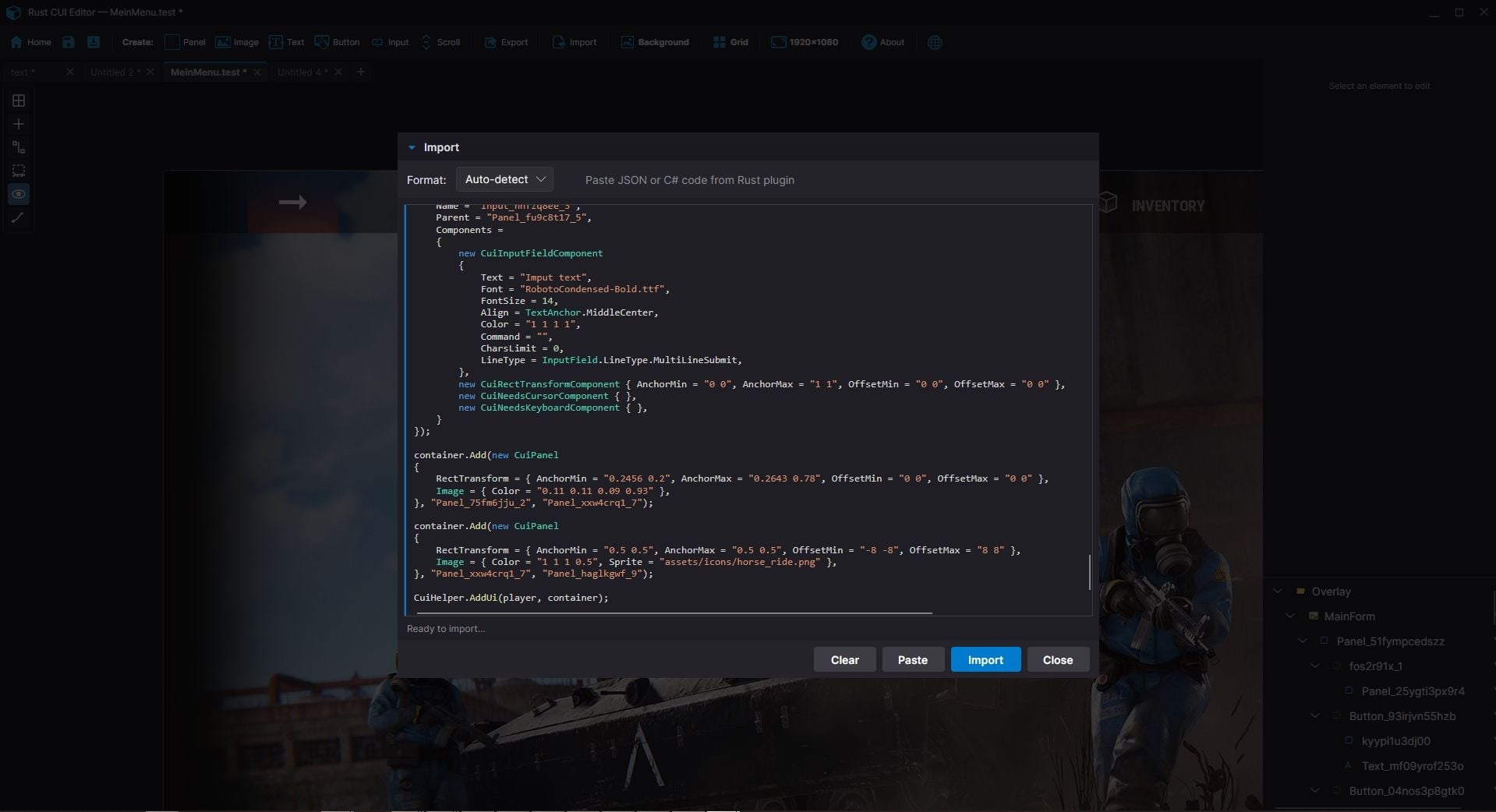
| Already have CUI code? Import it! ► Paste JSON array ► Paste C# CuiHelper code ► Import from PSD files ► Import from SVG files (Figma, Illustrator, Inkscape) ► Import from .cs plugin source files The editor parses your code and recreates all elements for visual editing. |
Project Management
| ► Save/Load project files ► Multiple tabs for different projects ► Recent projects with thumbnails ► Per-project settings ► Close confirmation for unsaved changes | 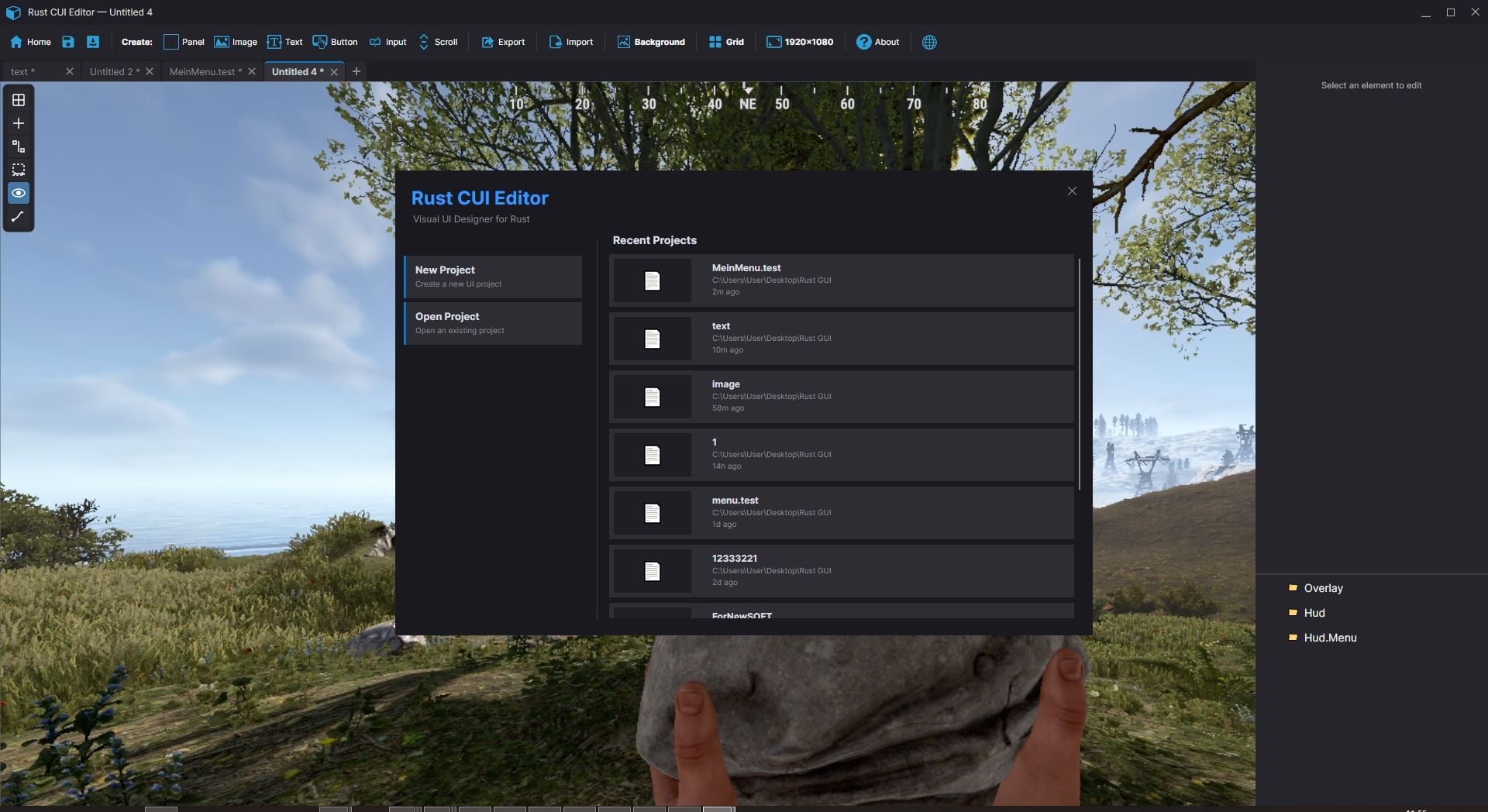
|
Property Editor
Full control over every element property:
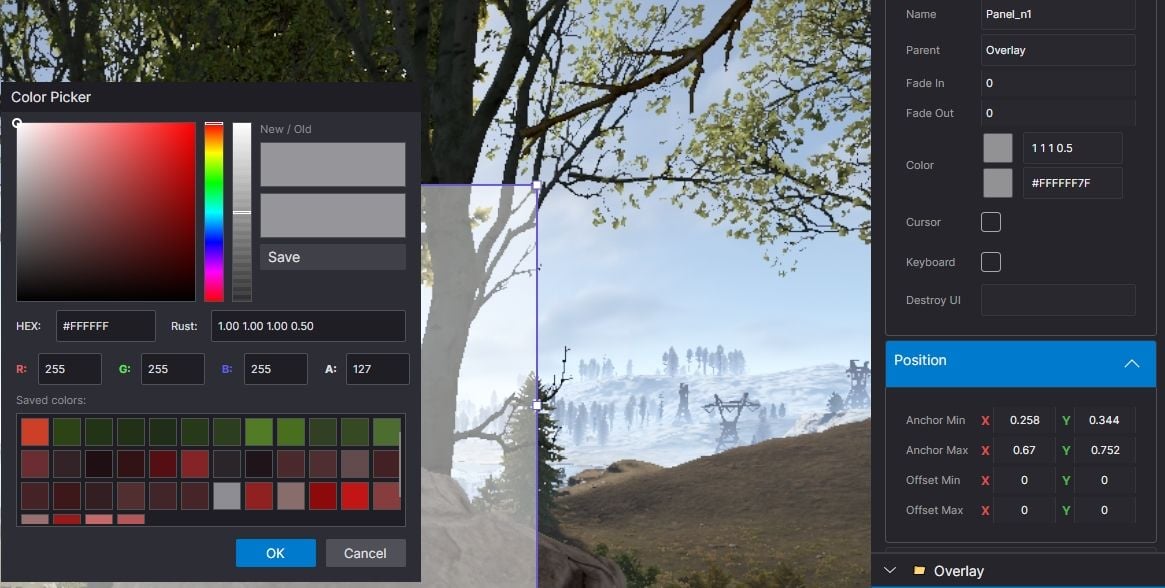
| ► Position (anchors + offsets) ► Colors with Rust format (0-1 RGBA) ► Fonts and text alignment ► Sprite/material selection ► Outline settings | ► Fade in/out animations ► Button commands ► Input field parameters ► ScrollView settings ► Rotation and pivot point |
Element Hierarchy
| ► Layer-based structure (Overlay, Hud, HudMenu) ► Parent-child relationships ► Drag & drop reordering ► Visibility toggle ► Lock elements to prevent accidental edits ► Rename with double-click ► Hover a tree node to highlight it on canvas |
Additional Tools
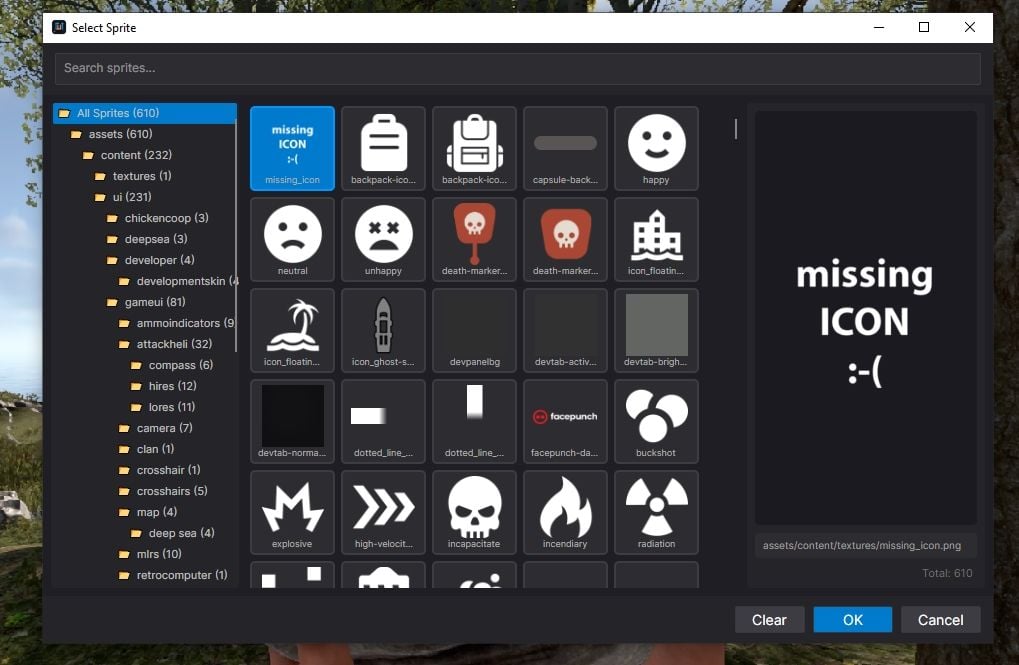
Measure Tool measure distances on canvas | Style Picker copy style between elements | Sprite Library browse Rust sprites | Color Picker Rust format preview |
Quality of Life
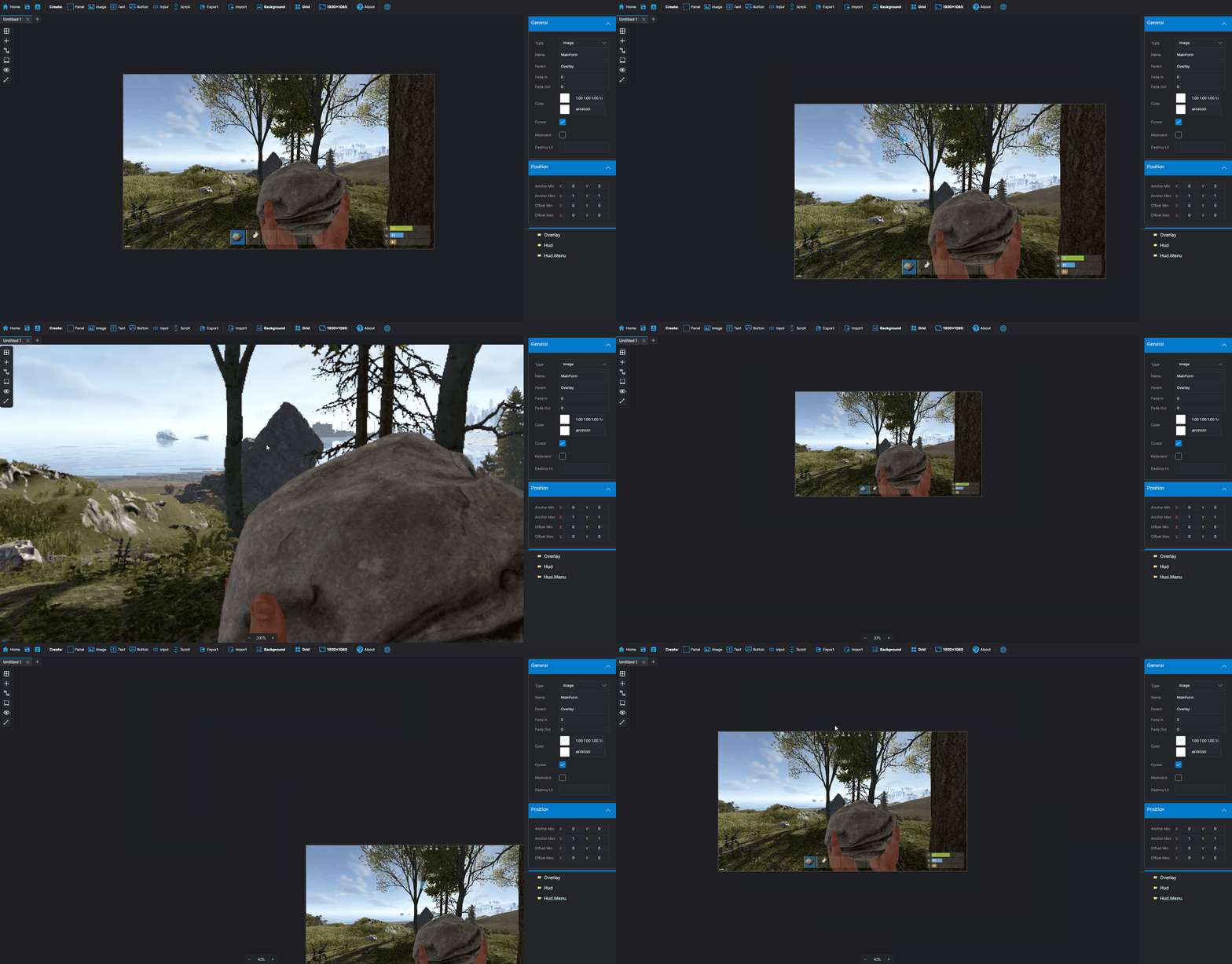
| ► Unlimited undo/redo ► Copy/paste/duplicate elements ► Copy/paste style ► Keyboard shortcuts for everything ► Multiple preset resolutions | ► Smooth multiplicative zoom ► Auto-fit canvas to window ► Dark and light themes ► English & Russian localization ► Automatic update notifications |
| System Requirements ► Windows 10/11 ► .NET 8.0 Runtime (bundled) | Installation 1. Download and extract the archive 2. Run RustCUIEditor.exe 3. Start creating! |
Gallery